 Deutsch
  España
  Francais
  Russian
  Čeština
  Greek
Greek  Romanian
  Arabic
  Português
  Indonesian
  Croatian
  Serbia
  Farsi
Farsi  Mongolian
  Bulgarian
  Georgia
  Azerbaijani
  Thai
Thai  Turkish
  Magyar
 How do I active EduPage PRO design?


If you have ordered the EduPage PRO package, you can choose one of the EduPage PRO designs. To see the list of all available designs, login to your EduPage as administrator and click on the "Page design" link.
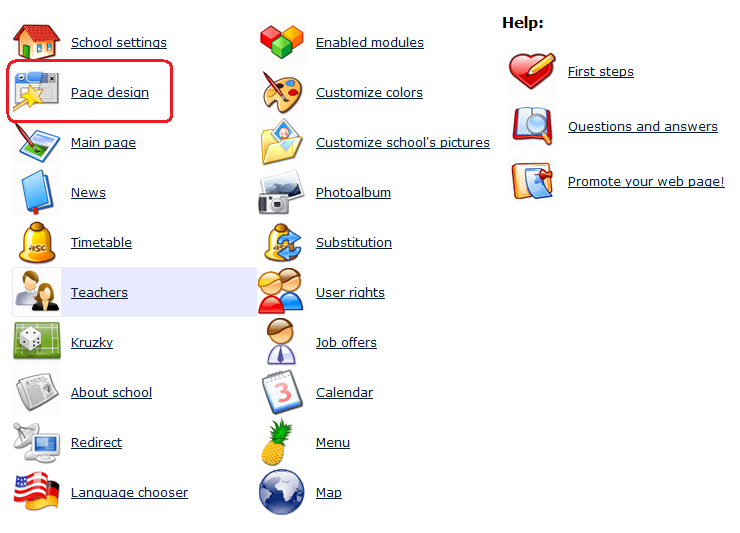
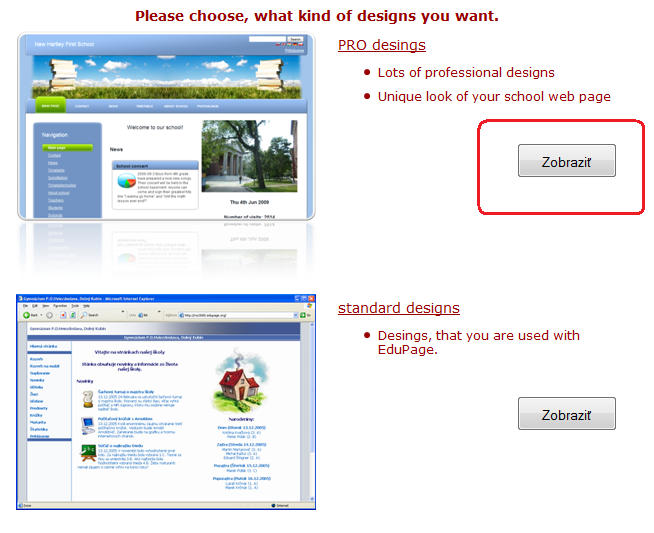
Choose the PRO designs option.
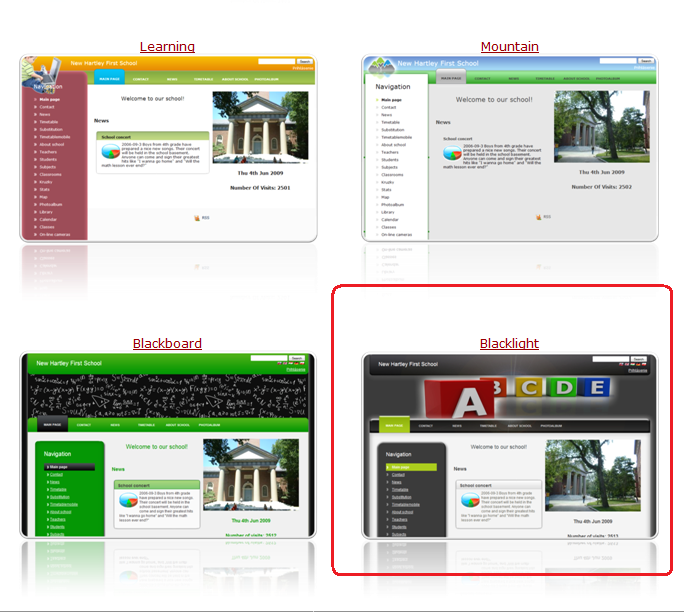
Then the list of all available designs appears. You can test some design by click on the corresponding picture.
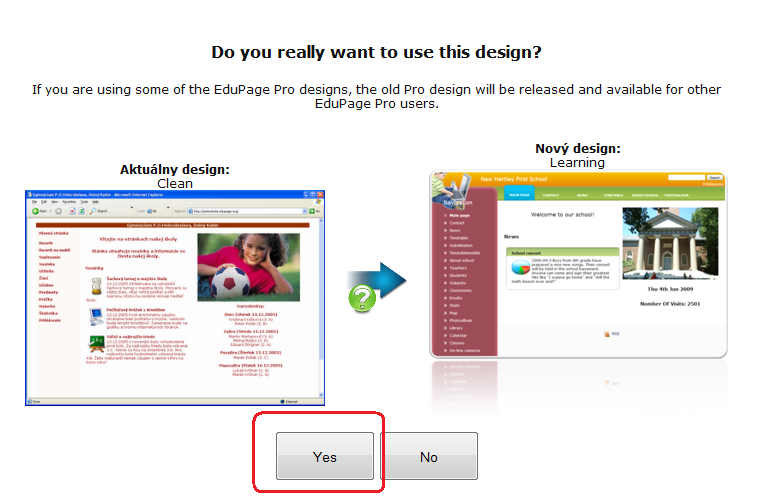
After clicking on the design thumbnail, your page design is temporarily changed (only for you, other users see the old design) and a confirmation dialog appears. If you are satisfied with the design, click on the "Yes" button.
See also:
=What is included in the EduPage PRO?
=What are PRO designs?