 Deutsch
  España
  Francais
  Polish
  Russian
  Čeština
  Greek
Greek  Lithuania
  Romanian
  Arabic
  Português
  Indonesian
  Croatian
  Serbia
  Farsi
Farsi  Hebrew
  Mongolian
  Bulgarian
  Georgia
  Azerbaijani
  Thai
Thai  Turkish
  Magyar
 Where can I find detailed activity information for a specific student after the test?


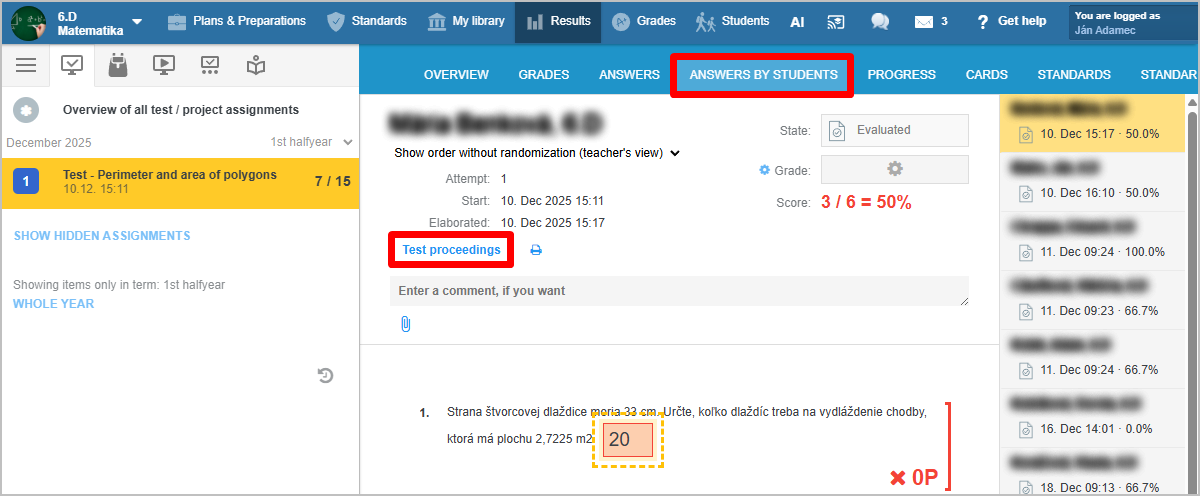
By clicking on a specific student, the student’s test appears on the right side of the screen, and the sequence of the student’s activities with timestamps appears on the left side.
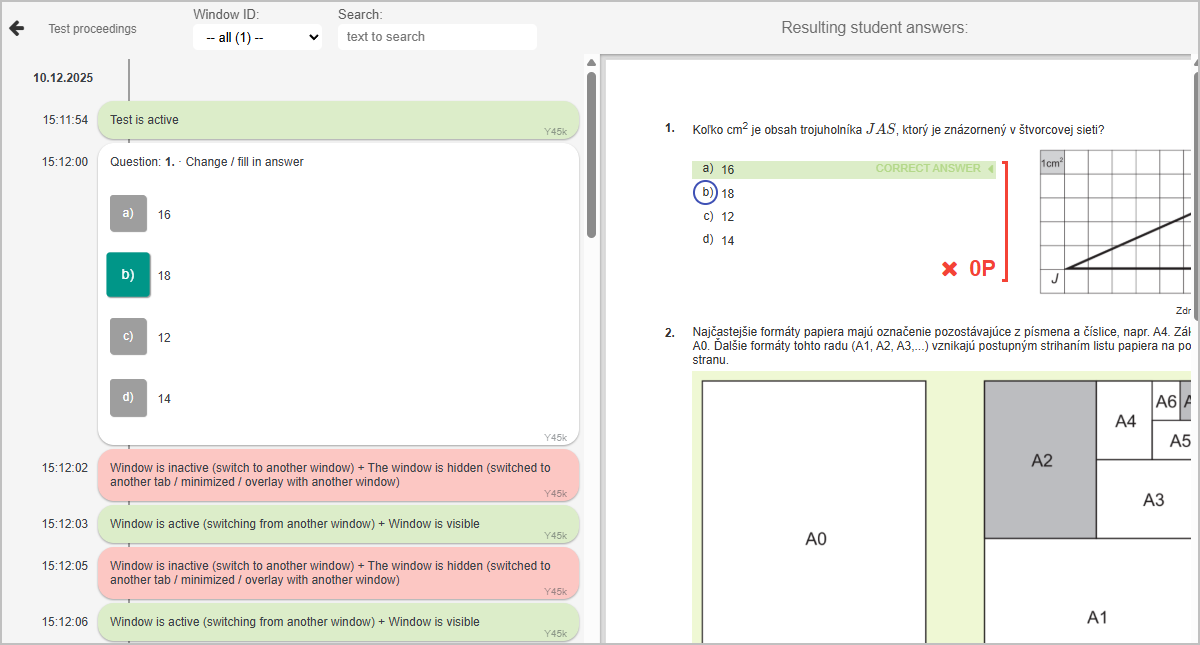
When a student copies text from the test, the teacher can see exactly what was copied. If a student copies an entire question, it likely indicates an attempt to cheat — i.e., solving the task using external help instead of their own thinking.
More guides: Monitoring test progress, preventing cheating