 Deutsch
  España
  Francais
  Polish
  Russian
  Čeština
  Greek
Greek  Lithuania
  Romanian
  Arabic
  Português
  Indonesian
  Croatian
  Serbia
  Farsi
Farsi  Hebrew
  Mongolian
  Bulgarian
  Georgia
  Azerbaijani
  Thai
Thai  Turkish
  Magyar
 Assigning a "Print Test"


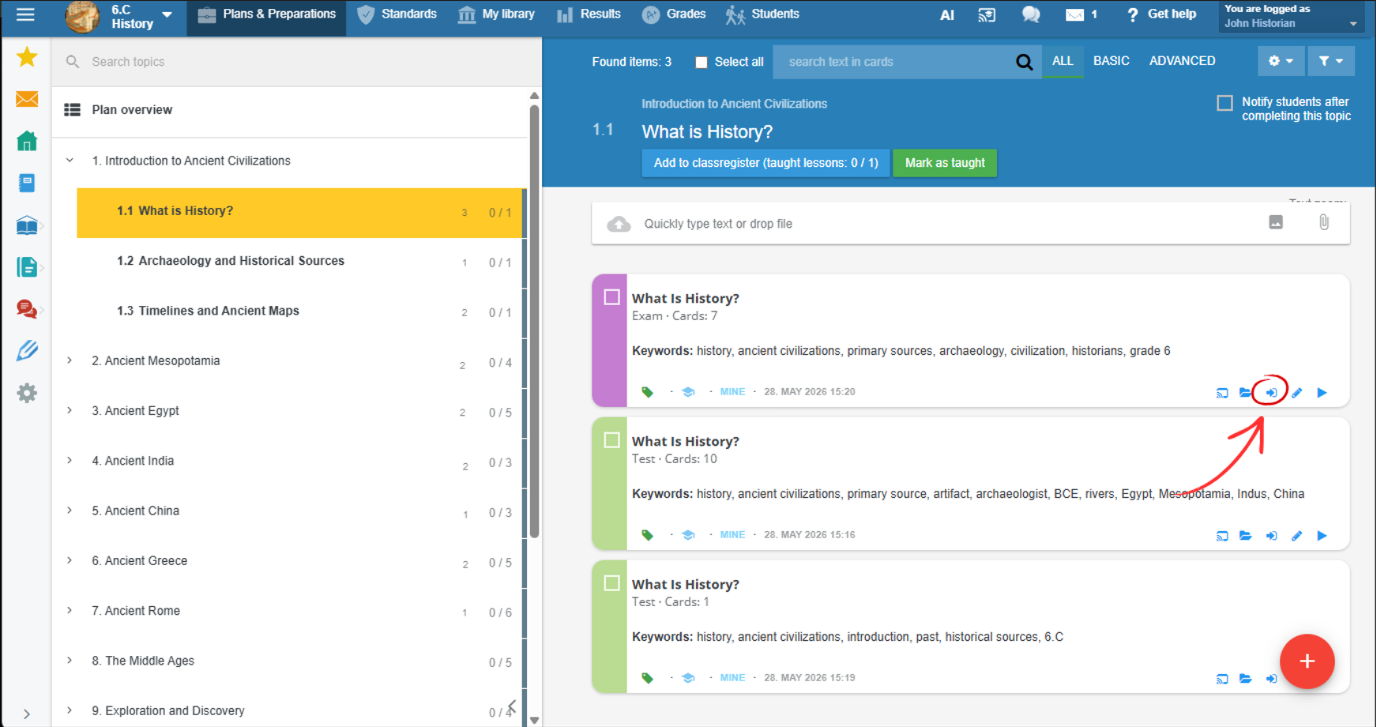
Click the Assign to Students icon in the test.
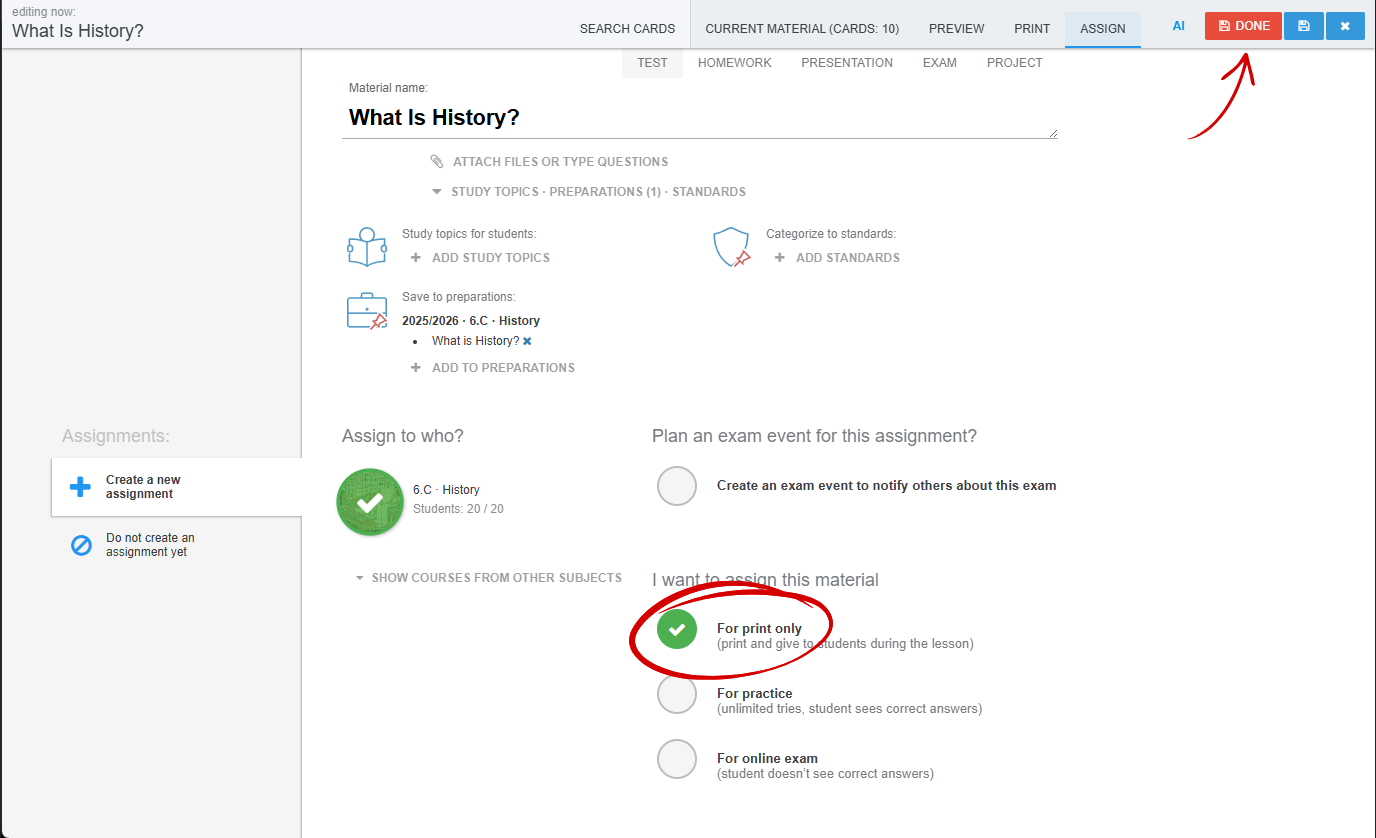
Check the group you are assigning the test to and select "For Print Only". Then click the Done button.
More guides: Printed tests