
 Slovenčina
  España
  Francais
  Polish
  Čeština
  Greek
Greek  Romanian
  Arabic
  Português
  Indonesian
  Croatian
  Serbia
  Farsi
Farsi  Mongolian
  Bulgarian
  Georgia
  Azerbaijani
  Turkish
  Magyar
 =How to change (remove) a fee of a student for the period of one school term


If a student is assigned a payment plan, they do not have to pay the fees for all school terms. The amount stated in the payment plan can be changed too.
The example below shows how to remove/change fee of a student. The student will not pay any tuition fee in the first school term. In the second term the student will pay tuition fees with 50% discount.
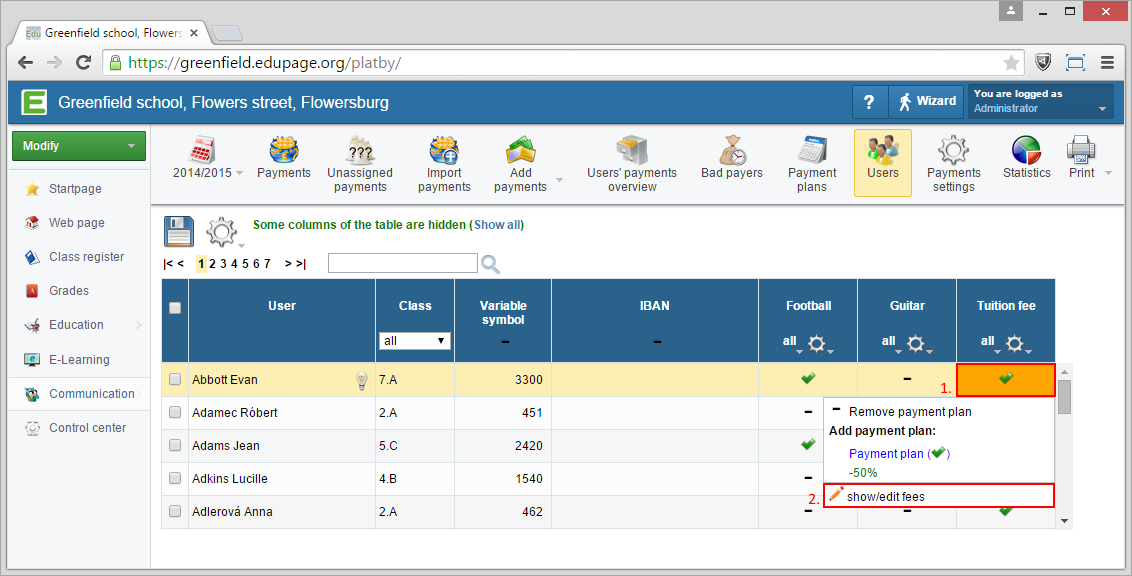
Select the "Users" section in the "Payments" module. Find the student you want to change/remove the tuition fee from. Click on the icon (text) indicating the payment plan assignment.
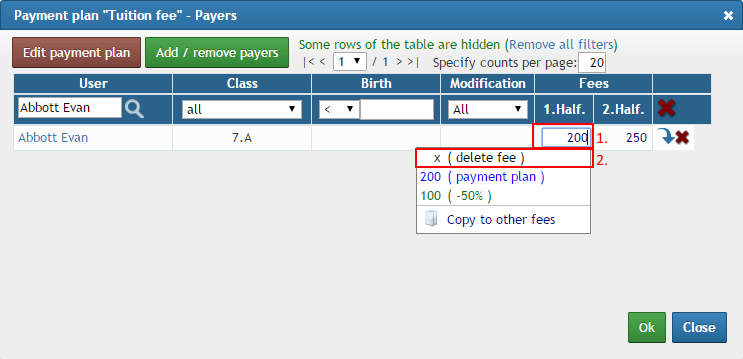
In dialog for fees of the selected student, click on fee you want to delete/change and choose 'delete fee'.
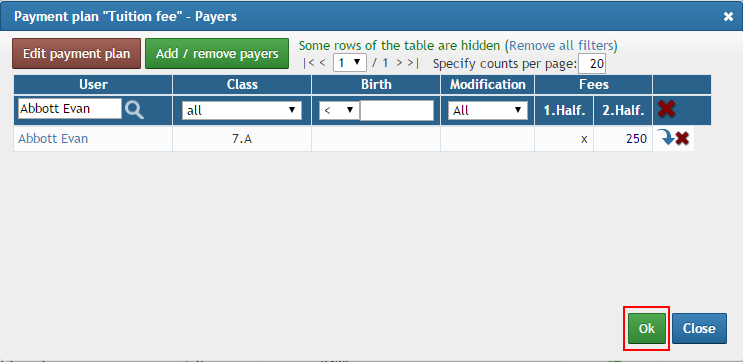
click 'OK' to save changes
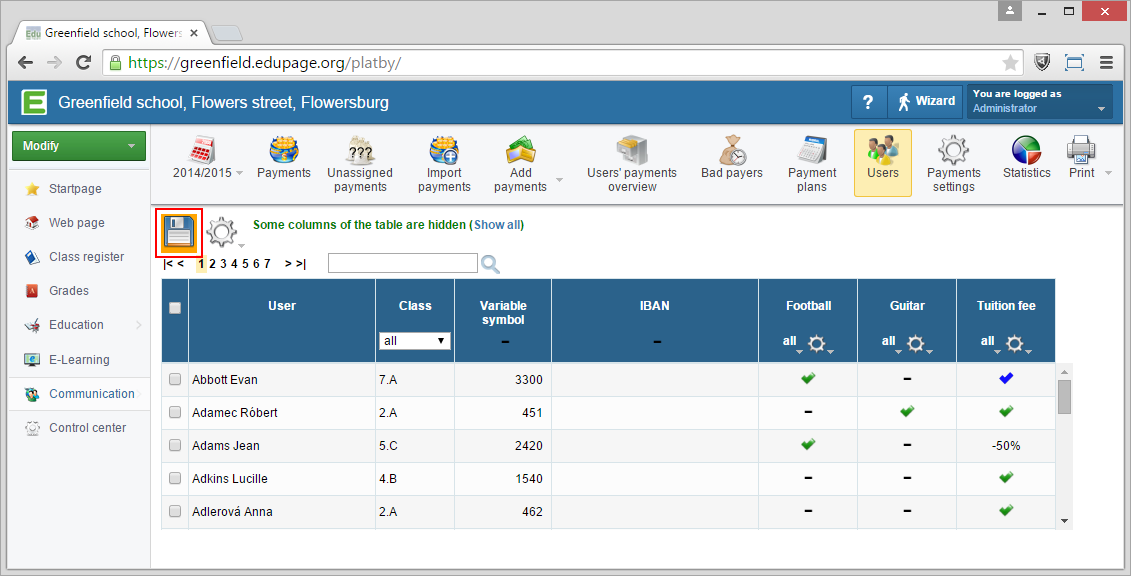
Abott Evan does not pay fee for the 1st halfyear now. Blue sign refers that student pays payment plan specially.Do not forget to save changes!
Please see also - List of all helps for payment module