 Deutsch
  España
  Francais
  Polish
  Russian
  Čeština
  Greek
Greek  Lithuania
  Romanian
  Arabic
  Português
  Indonesian
  Croatian
  Serbia
  Farsi
Farsi  Hebrew
  Mongolian
  Bulgarian
  Georgia
  Azerbaijani
  Thai
Thai  Turkish
  Magyar
 Bulk textbook returns without QR scanning.


Bulk textbook returns can be processed by the Textbook Storage administrator, a teacher with permission to borrow and return textbooks, or a class teacher, if enabled to borrow and return textbooks.
As an administrator, or the teacher with permission to borrow/return textbooks, select the “Textbooks by class” tab.
Click the framed field to select the desired class from the list. The list of borrowings will appear, sorted by students.
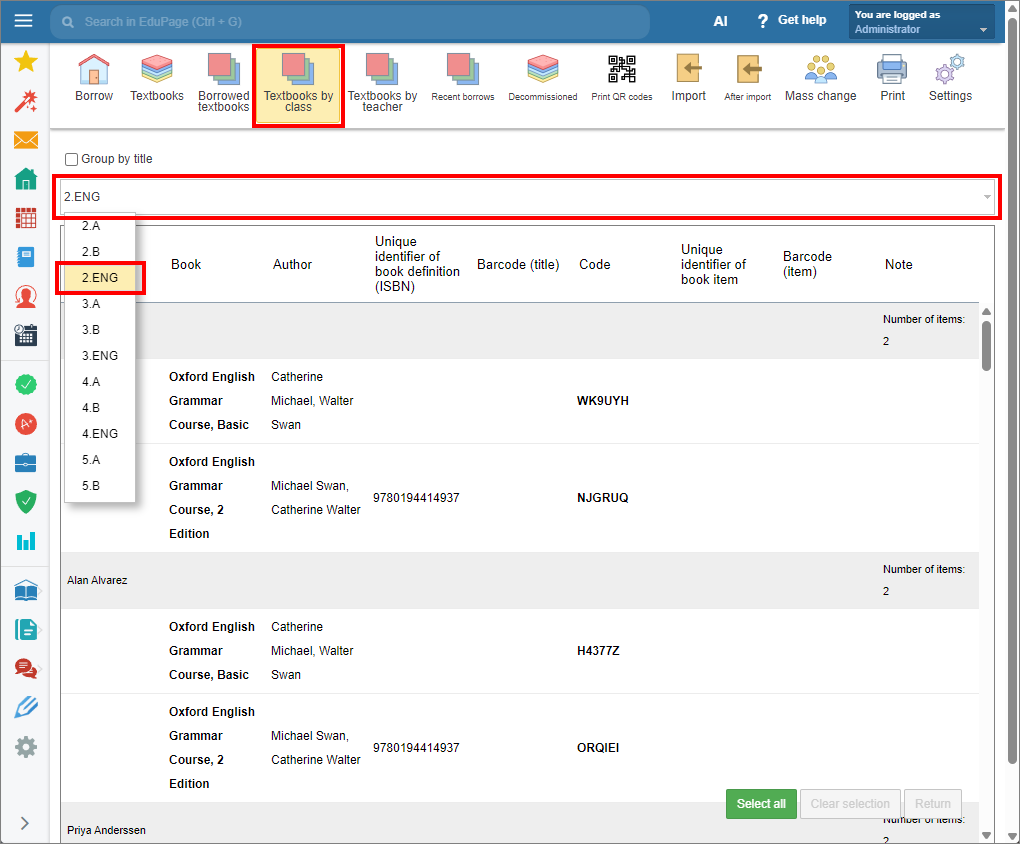
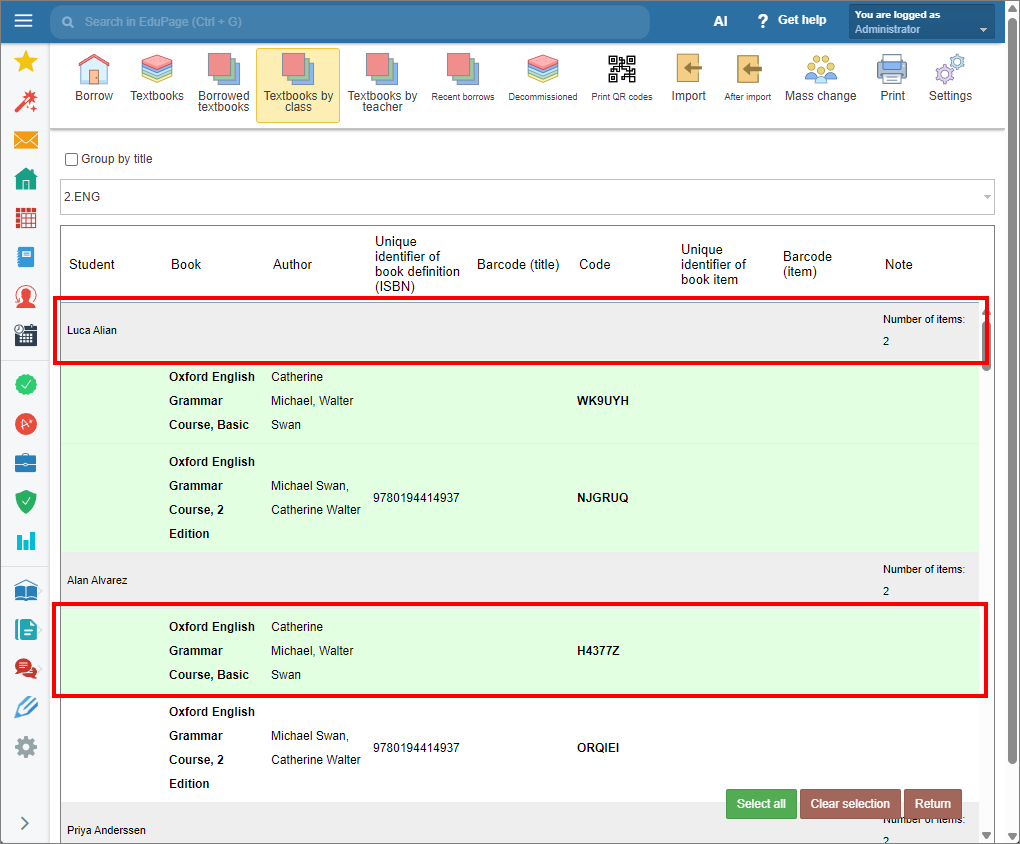
Click an item to select it. The selected item will be green-highlighted. To deselect it, click the item again.
To select all items borrowed by a student, click the gray-highlighted header of the student’s list. Click it again to deselect.
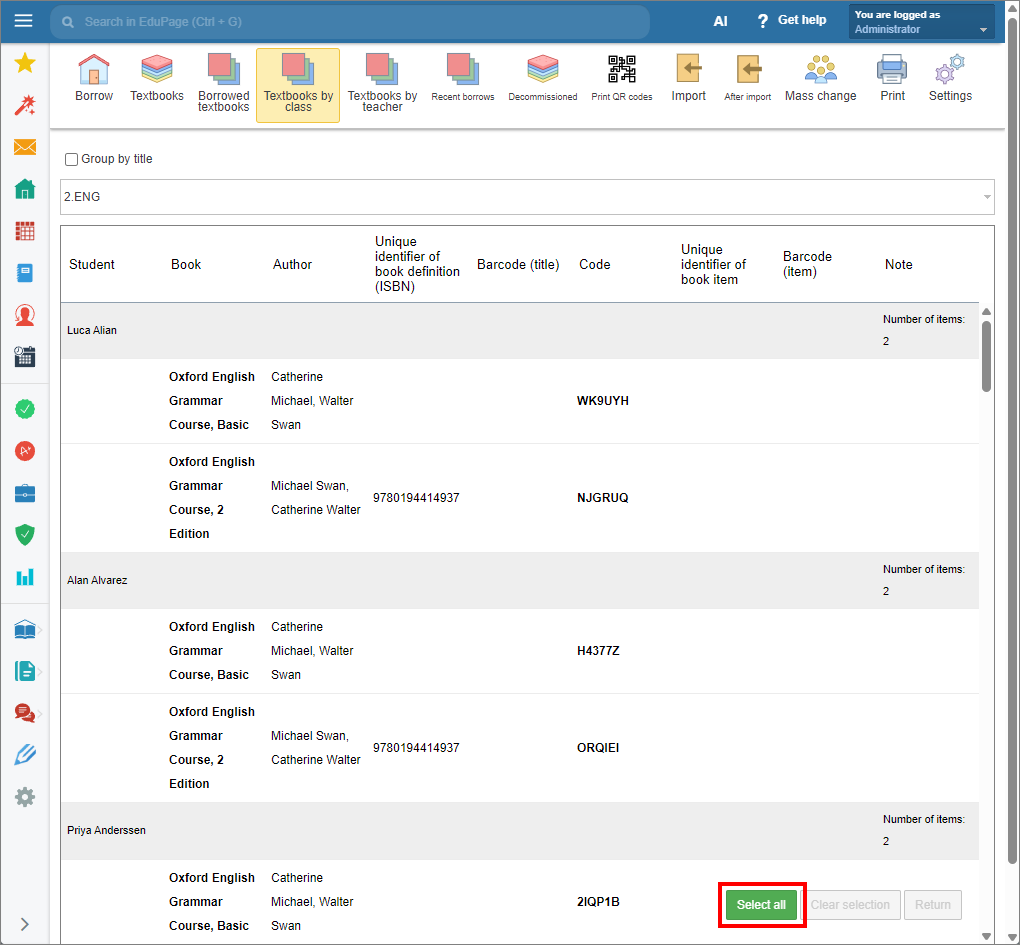
To select all textbooks borrowed by the class, click “Select all” in the bottom right corner of the display. To clear selection, click “Clear selection”.
Note: You do not need to hold down the “Ctrl” key to select multiple items. New selections are added to the existing selection by default, even if the selected item is not currently visible on the screen. To avoid accidental selections use the “Clear selection” option when needed.
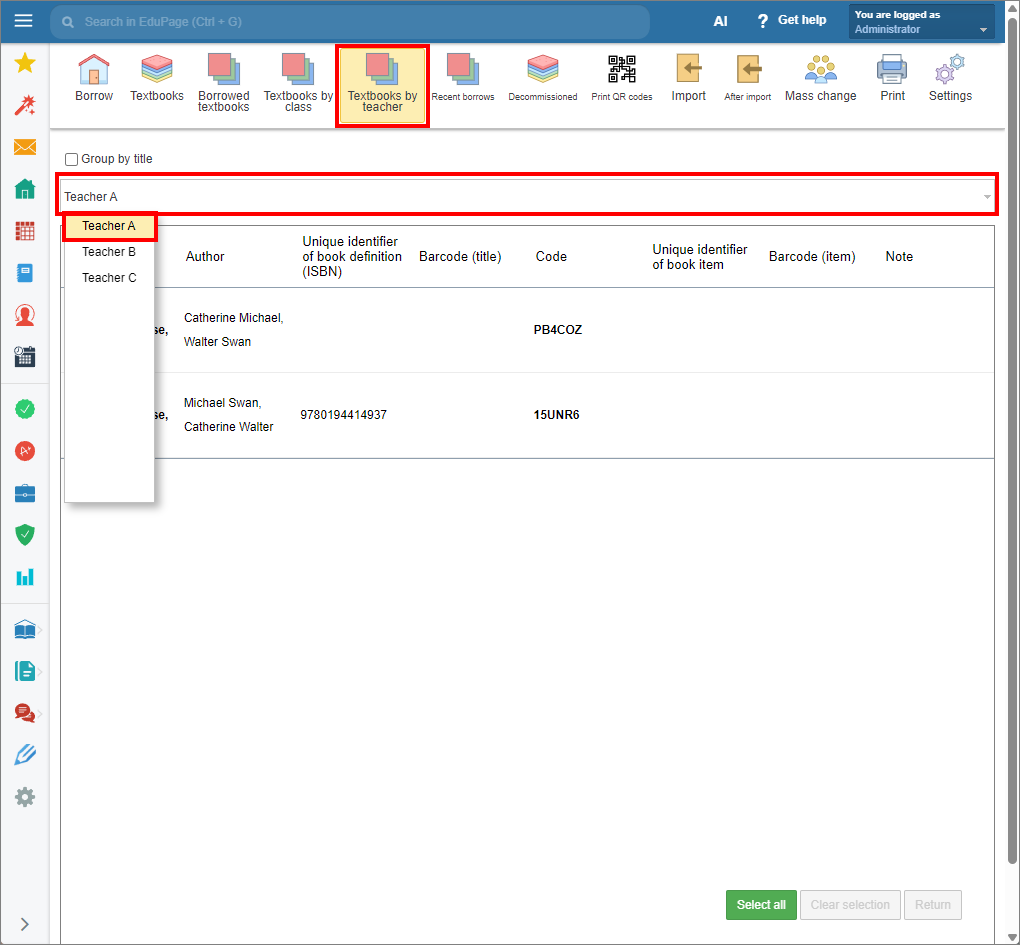
Use the “Textbooks by teacher” tab in the same way. A list of textbooks borrowed by teachers will be displayed.
As a class teacher, open the “My class textbooks” tab on the main display. The list of your students will be displayed, showing their borrowings. The total number of textbooks borrowed by the student appears on the right side of the gray-highlighted header.
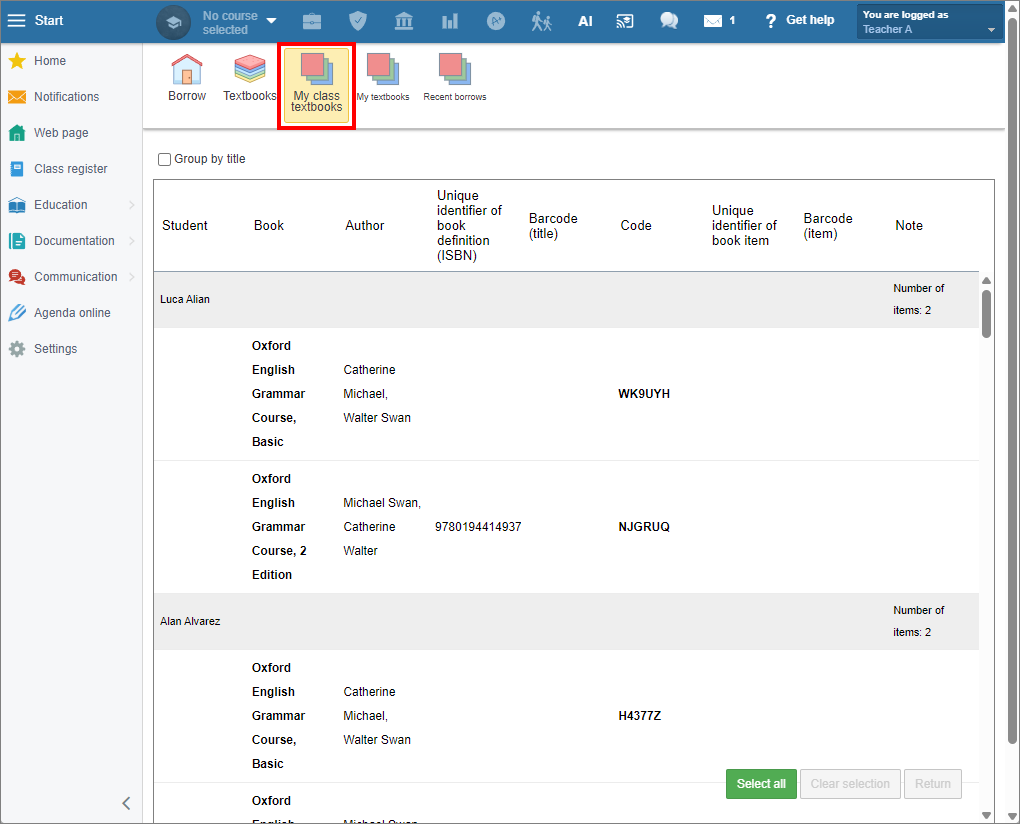
Select the textbooks that have been returned by students from the list.
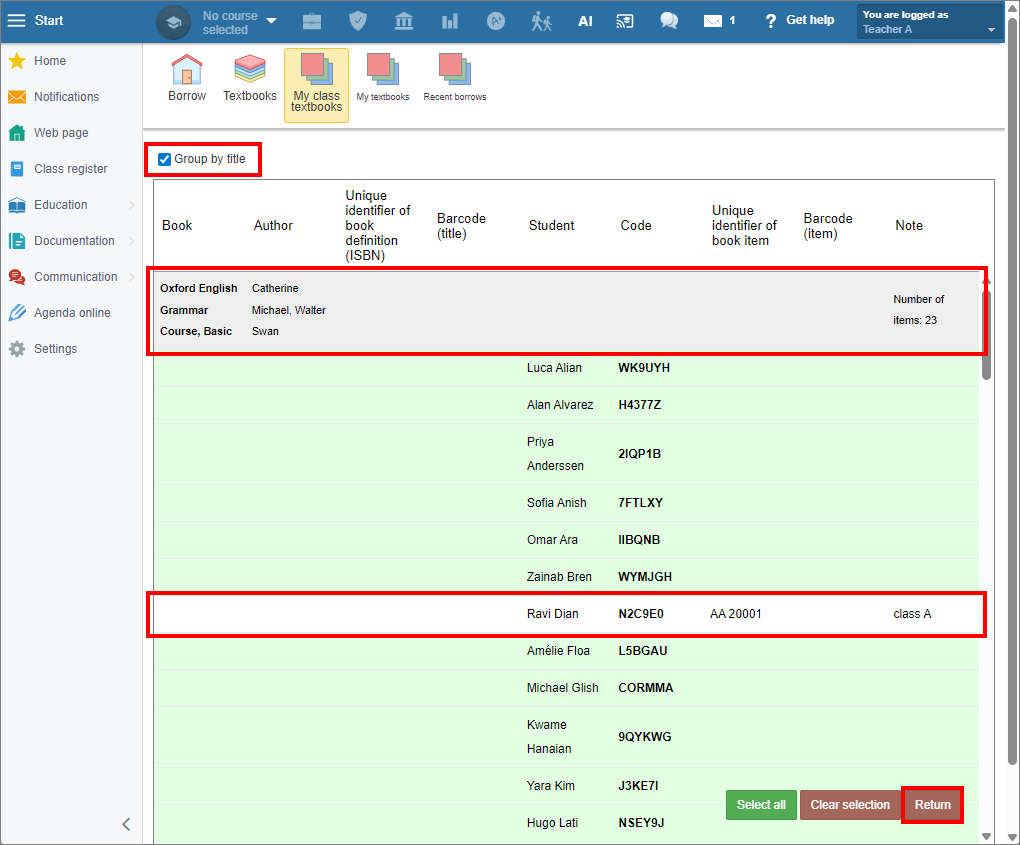
To sort borrowings by title, select the “Group by title” checkbox.
Below the gray-highlighted header is the list of borrowers.
The total number of borrowed textbooks of each title appears on the right side of the gray-highlighted header.
Click “Return” to return the selected textbooks. Click “Yes” to confirm.
After being returned, textbook items are withdrawn from the borrowing list.
Bulk textbook returns can also be done using the mobile application.