 Deutsch
  España
  Francais
  Polish
  Russian
  Čeština
  Greek
Greek  Lithuania
  Romanian
  Arabic
  Português
  Indonesian
  Croatian
  Serbia
  Farsi
Farsi  Hebrew
  Mongolian
  Bulgarian
  Georgia
  Azerbaijani
  Thai
Thai  Turkish
  Magyar
 How to print a withdrawal list.
library, textbook storage, withdrawal list, print


The Withdrawal list provides a list of the decommissioned books/textbooks in your Library/Textbook storage, sorted by the date of decommission.
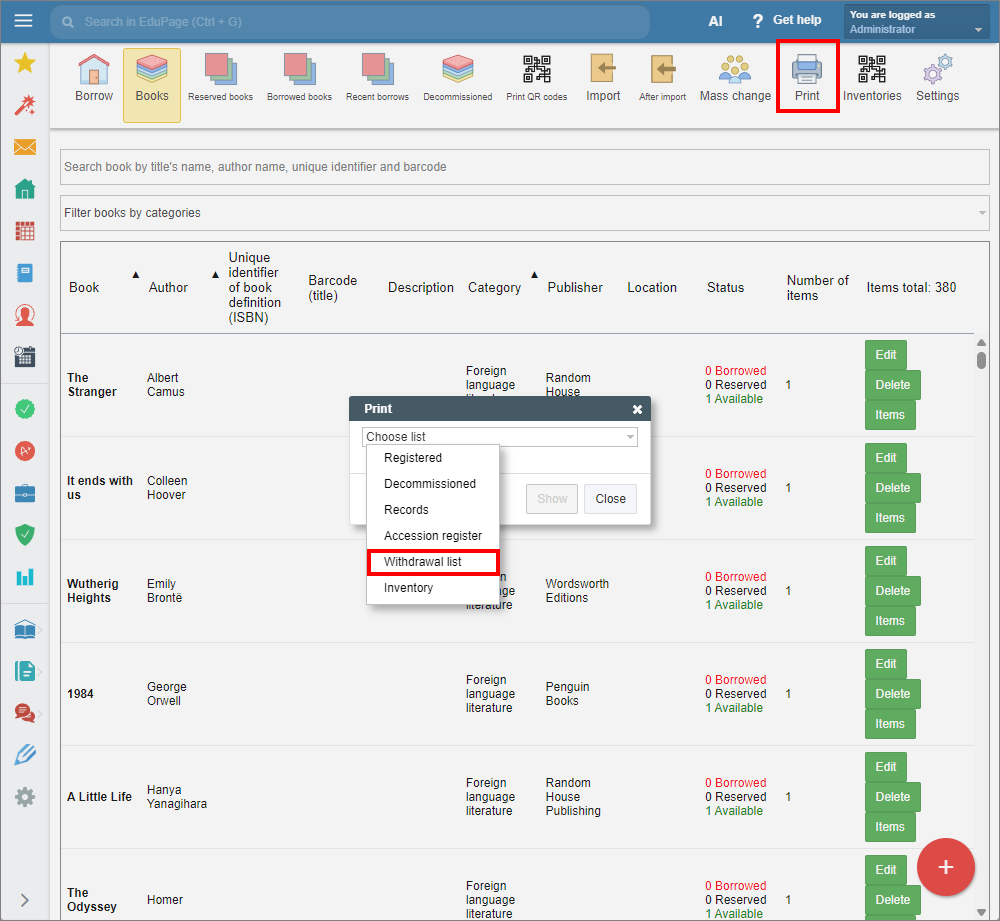
In the Library/Textbook storage module, select the “Print” tab from the top main menu.
Click “Choose list” to open the drop-down menu and select “Withdrawal list”.
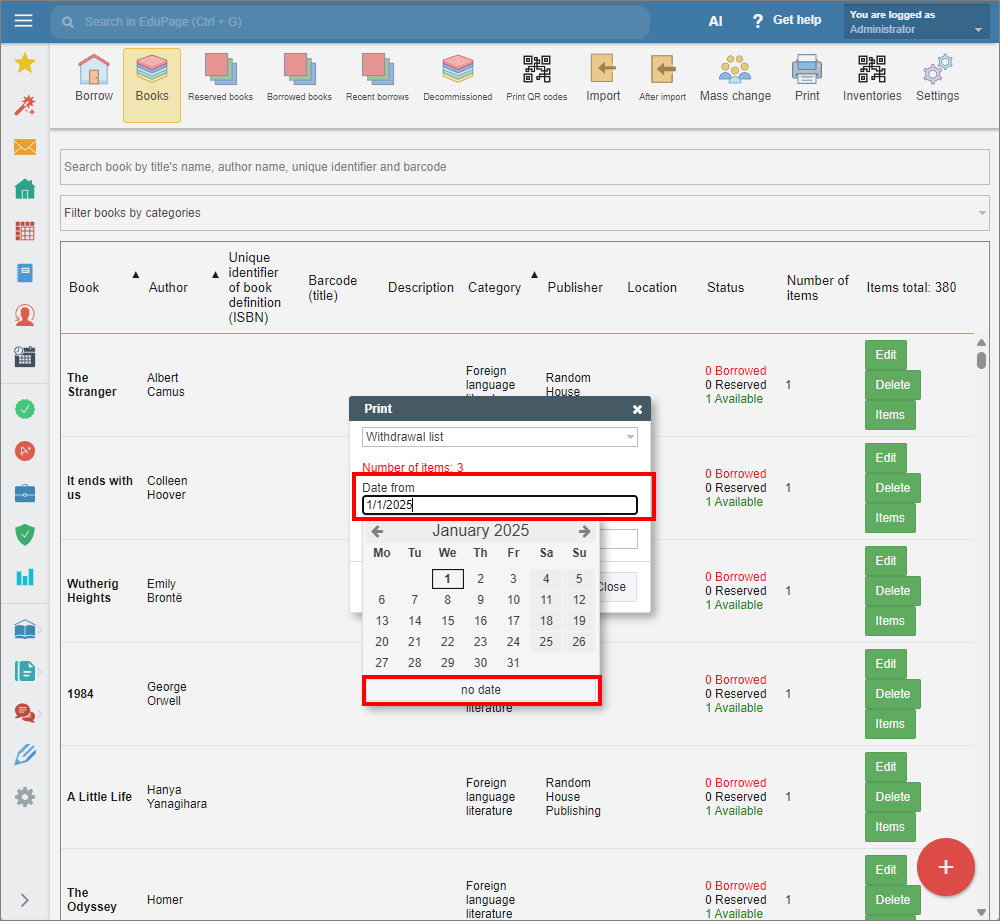
Enter the dates to specify the time period, if needed. If you do not wish to specify a start date, select “No date” in the “Date from” field.
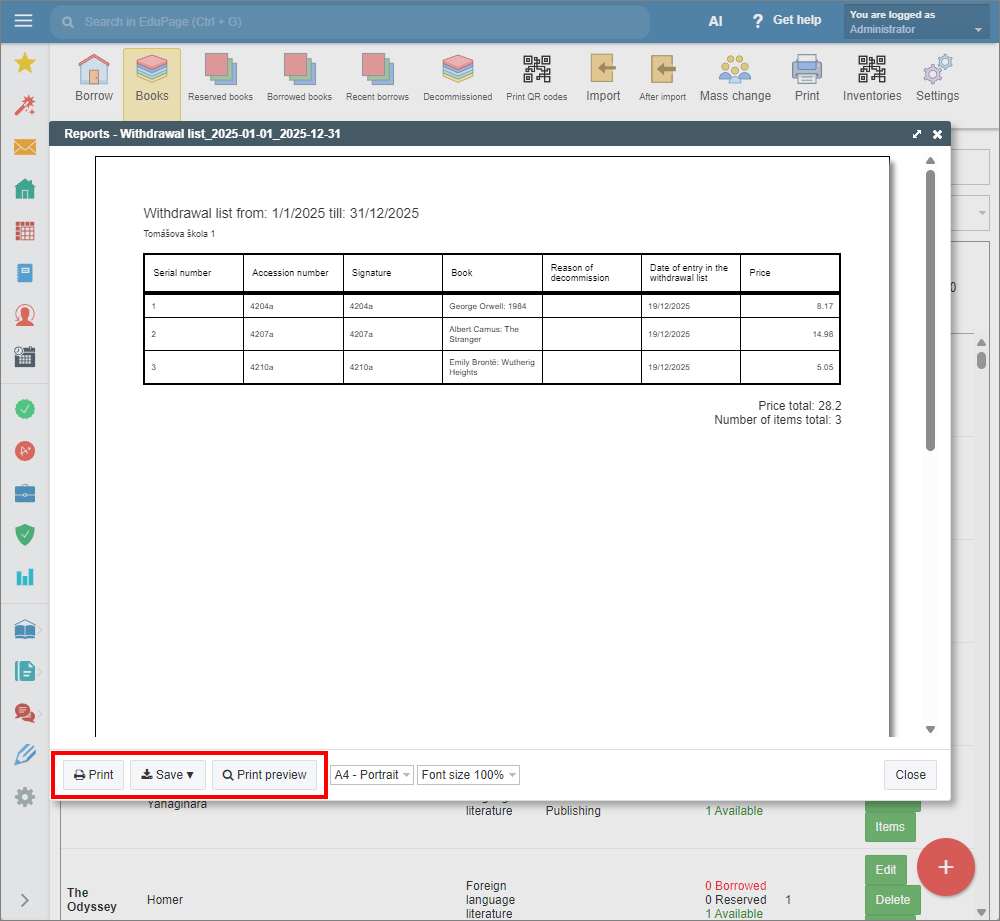
Click “Show” to continue. A preview of the withdrawal list will appear. You can choose to print it, or save it as a pdf or html file.
See also:
How to print library / textbook storage book records.
How to print an accession register.
Library Administration - Quick overview
Textbook Storage Administration - Quick overview