 Deutsch
  España
  Francais
  Polish
  Russian
  Čeština
  Greek
Greek  Lithuania
  Romanian
  Arabic
  Português
  Indonesian
  Croatian
  Serbia
  Farsi
Farsi  Hebrew
  Mongolian
  Bulgarian
  Georgia
  Azerbaijani
  Thai
Thai  Turkish
  Magyar
 How to print an accession register.
library, accession register, print


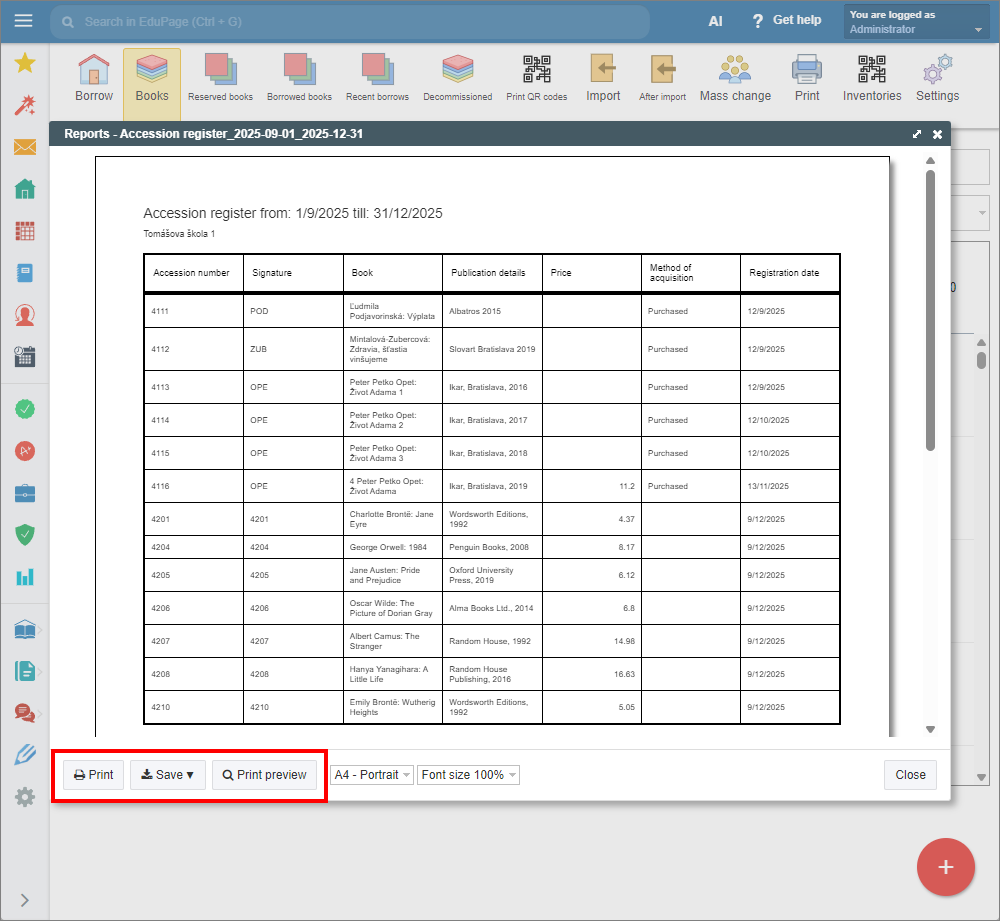
The Accession register provides a list of all book items in your library, sorted by their accession numbers.
In the Library / Textbook storage module, select the “Print” tab from the top main menu.
Click “Choose list” to open the drop-down menu and select “Accession register”.
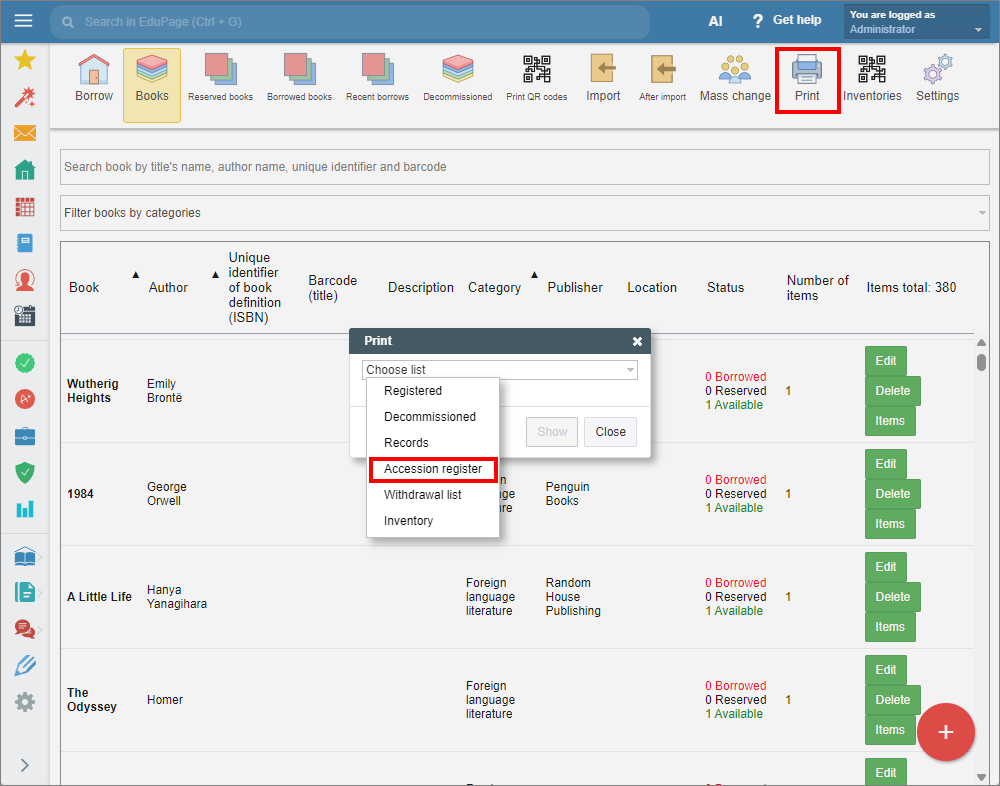
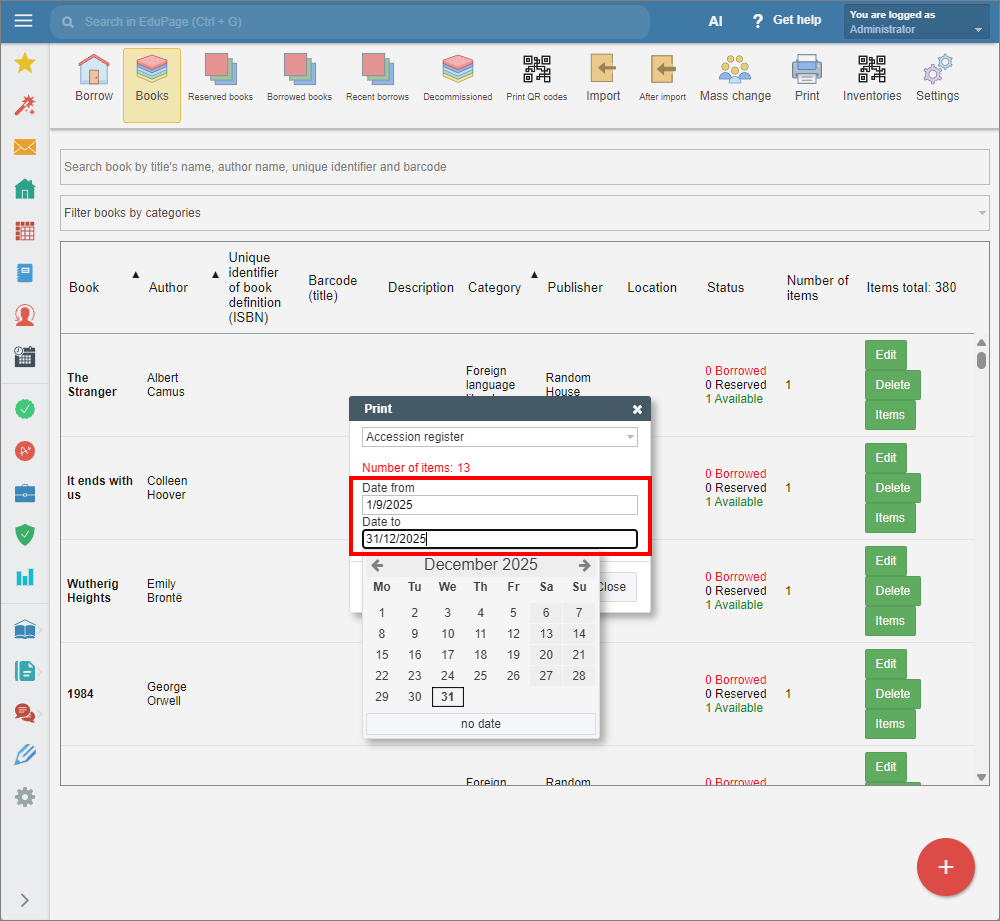
Click “Show” to continue. Specify the dates for the desired period.
A preview of the accession register will appear. You can choose to print it, or save it as a pdf or html file.
See also:
How to print library / textbook storage book records.
How to print a withdrawal list.
Library Administration - Quick overview
Textbook Storage Administration - Quick overview