 Deutsch
  España
  Francais
  Polish
  Russian
  Čeština
  Greek
Greek  Lithuania
  Romanian
  Arabic
  Português
  Indonesian
  Croatian
  Serbia
  Farsi
Farsi  Hebrew
  Mongolian
  Bulgarian
  Georgia
  Azerbaijani
  Thai
Thai  Turkish
  Magyar
 Bulk textbooks borrowing without QR scanning.


Bulk borrow textbooks for the entire class in just few simple steps.
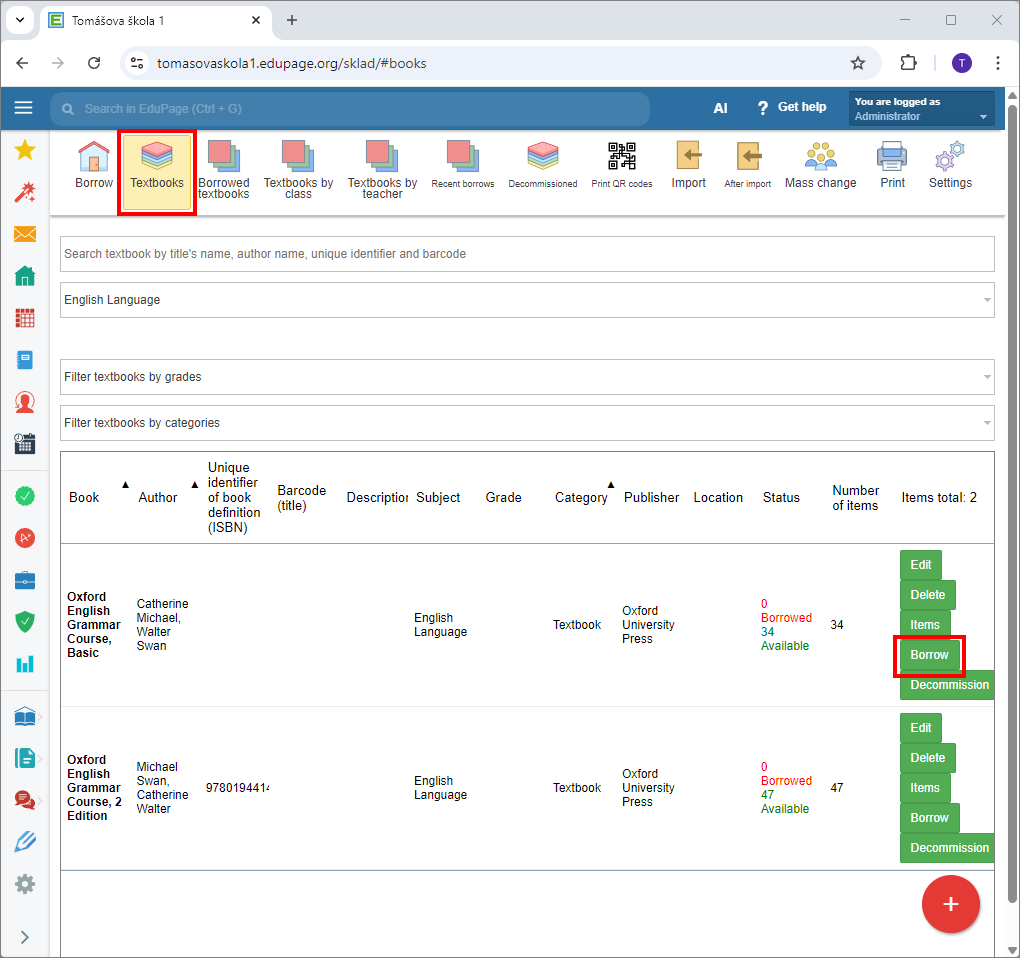
In the Textbook storage module, select the “Textbook” tab. In the row of the Textbook you want to borrow click “Borrow”.
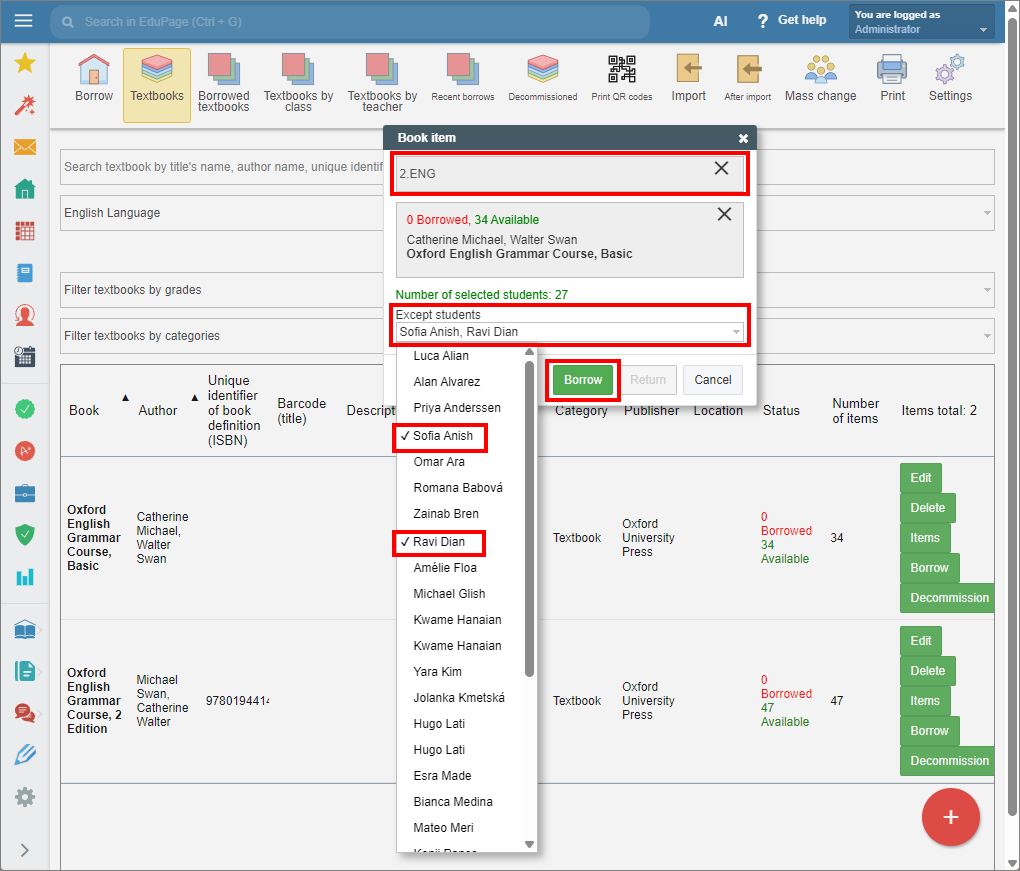
In the top row of the displayed window, enter the desired class. At the bottom of the window, you can select the students who will not receive the textbook. Click “Borrow”.
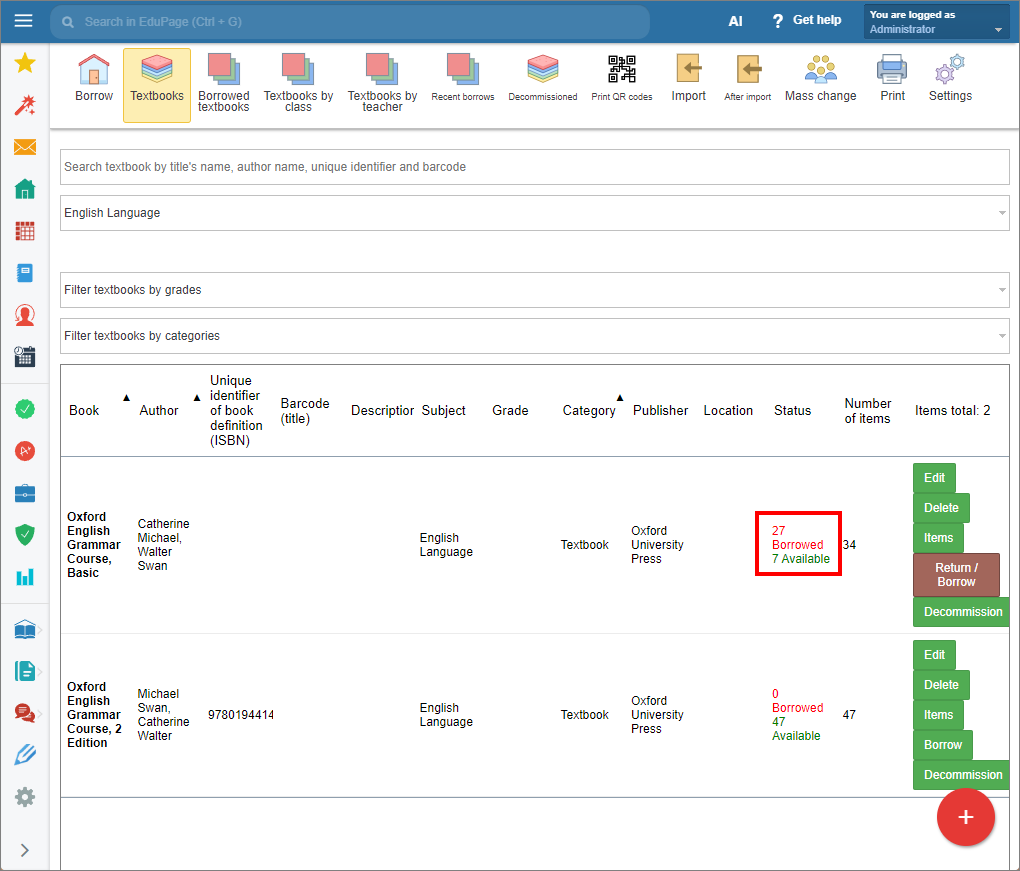
The textbooks have been borrowed.
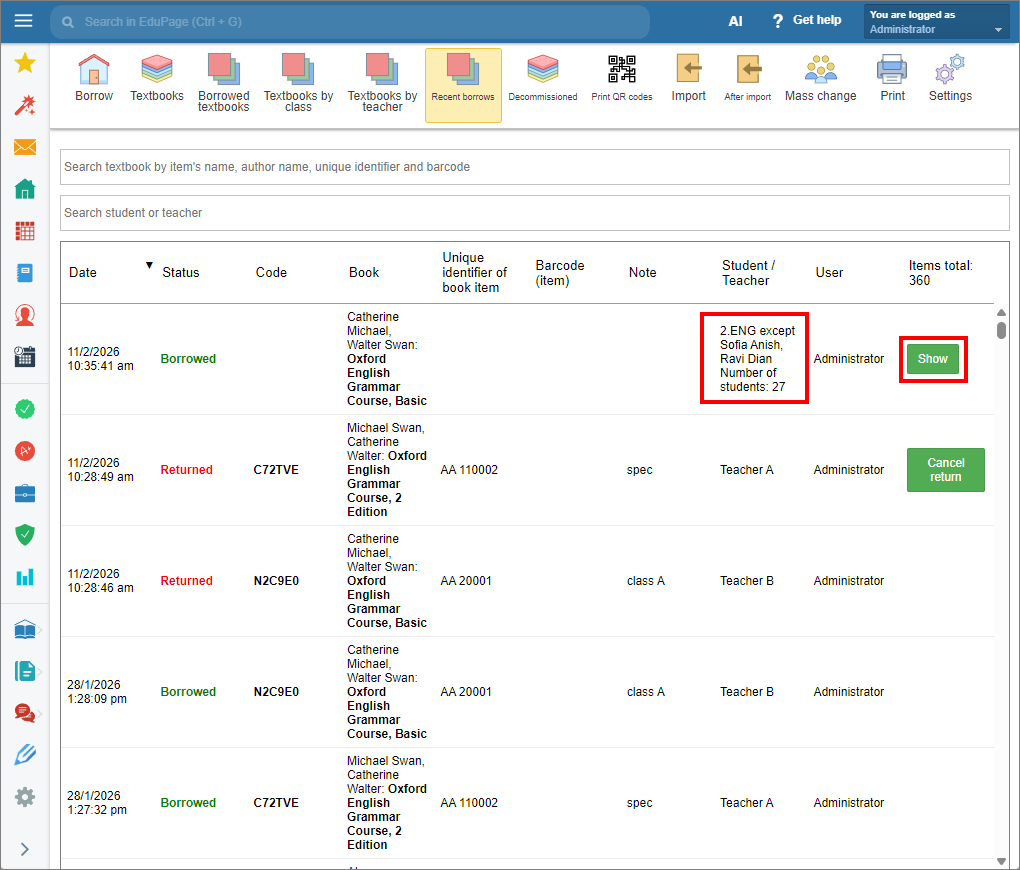
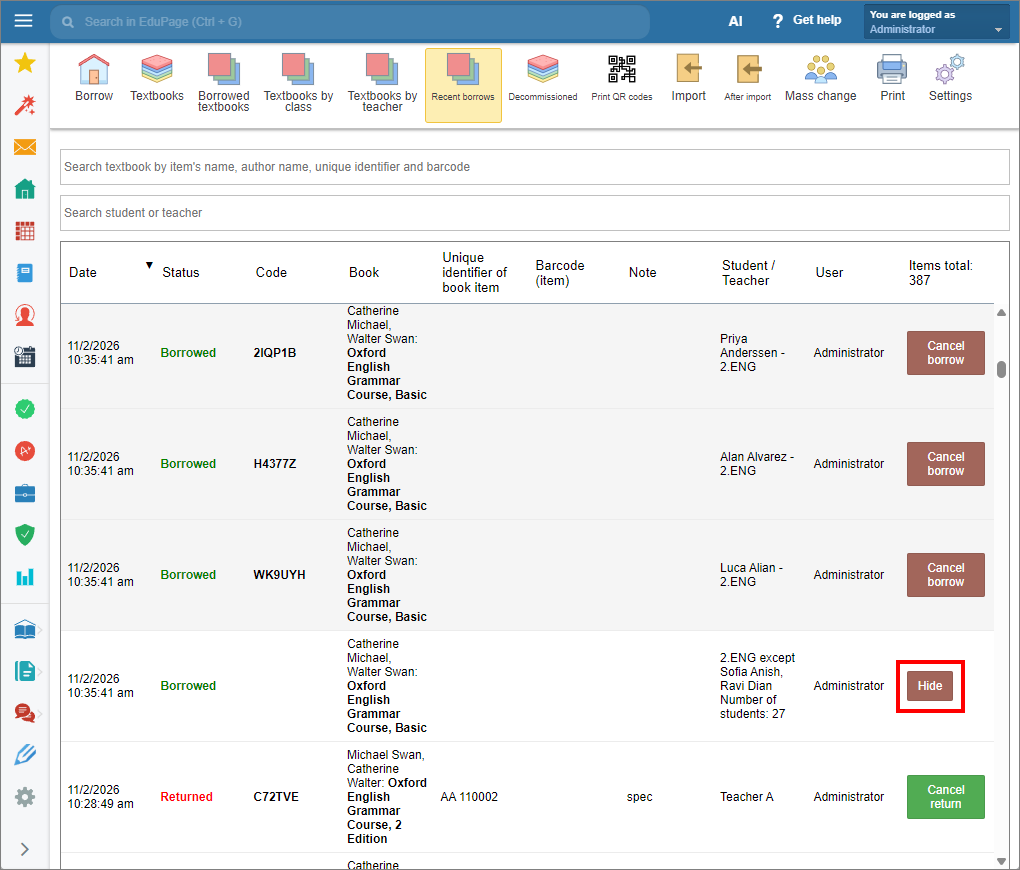
In the “Recent borrows” tab, you can view borrowing history and borrowers. Tap “Show” button to view individual borrowers in bulk borrow records.
Click “Hide” in the bottom row of the bulk borrow record, to collapse the list.
Bulk textbook borrows can also be done using the mobile application.