 Deutsch
  España
  Francais
  Polish
  Russian
  Čeština
  Greek
Greek  Lithuania
  Romanian
  Arabic
  Português
  Indonesian
  Croatian
  Serbia
  Farsi
Farsi  Hebrew
  Mongolian
  Bulgarian
  Georgia
  Azerbaijani
  Thai
Thai  Turkish
  Magyar
 The Classification Statistics Module Does Not Display Updated Data (Recalculate Function)


If you have changed grade or attendance data during the given classification period, you need to recalculate the classification statistics so that the updated data is reflected in the Classification Statistics module.
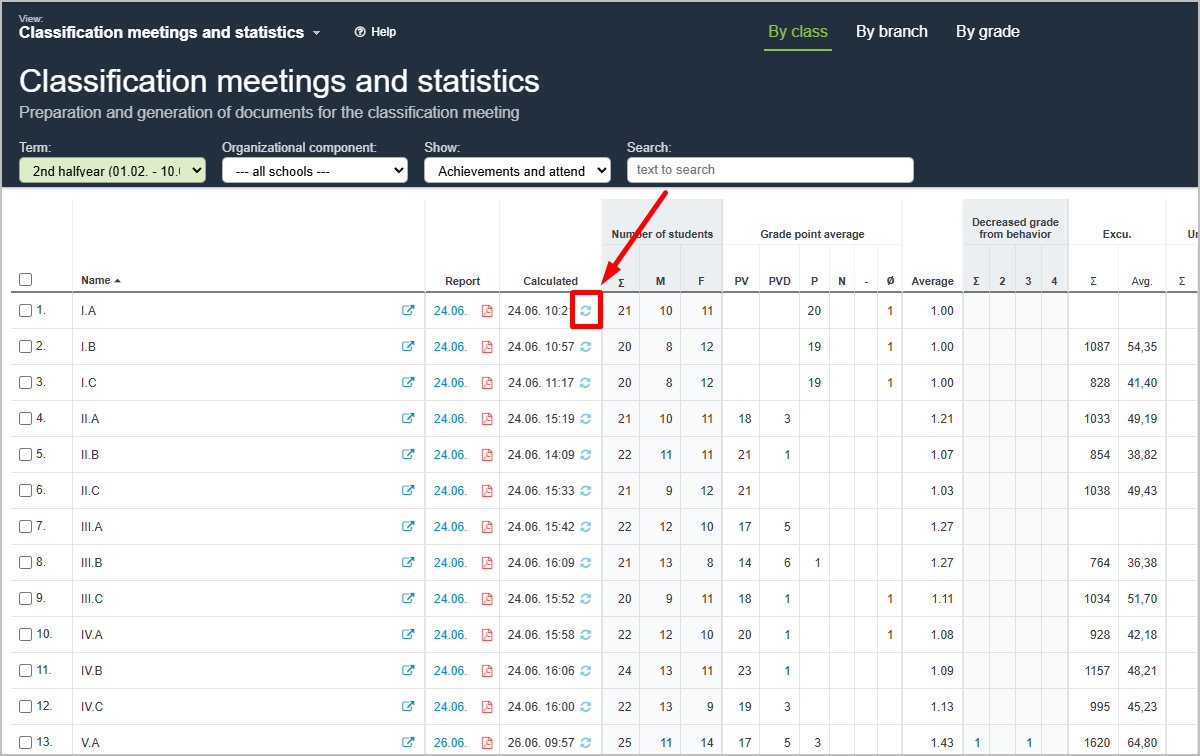
You can recalculate the statistics for a specific class by clicking the icon shown in the image. In the Recalculated column, you will see the date and time when the data was last recalculated.
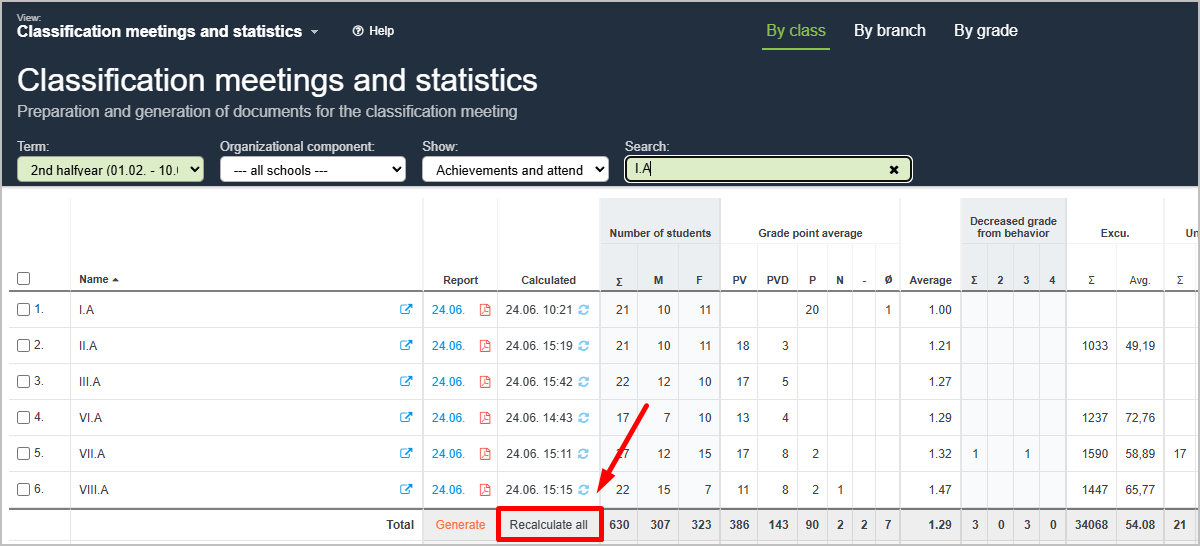
The administrator can recalculate statistics for all classes at once by clicking the Recalculate All button located below the list of classes.
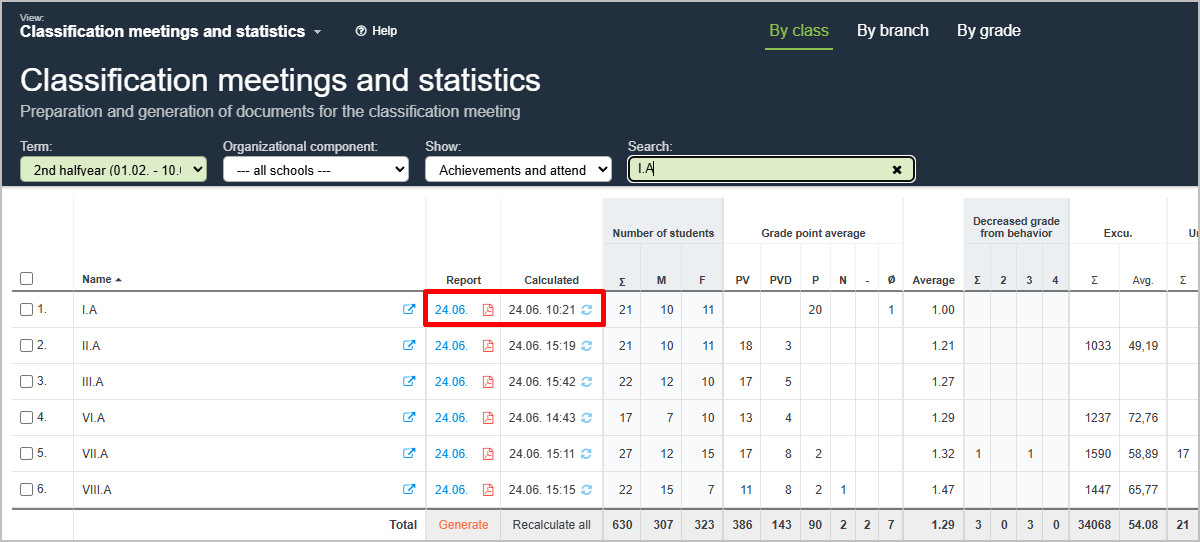
If you have already generated and saved the classification report (i.e., you see a PDF file in the Report column) and you later changed grade or attendance data, you must not only recalculate the statistics but also regenerate and save the classification report. Simply recalculating the data does not update the PDF classification report.
More guides: Classification statistics