Deutsch
  España
  Francais
  Polish
  Russian
  Čeština
  Greek
Greek  Lithuania
  Romanian
  Arabic
  Português
  Indonesian
  Croatian
  Serbia
  Farsi
Farsi  Hebrew
  Mongolian
  Bulgarian
  Georgia
  Azerbaijani
  Thai
Thai  Turkish
  Magyar
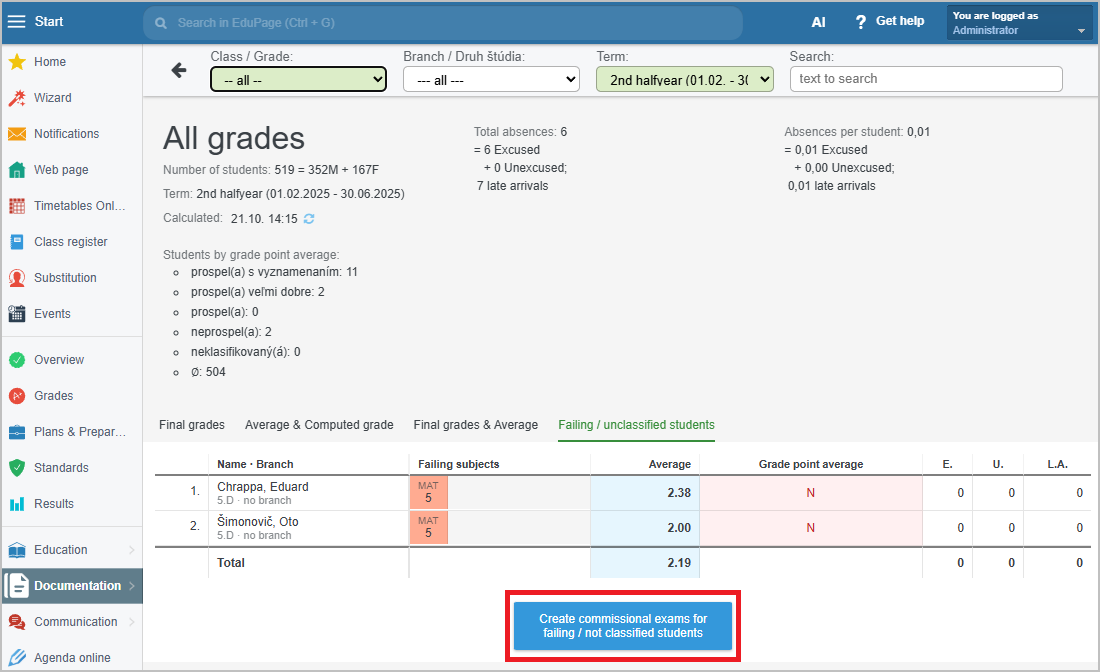
 How to display an overview of failing/unclassified students for the entire school


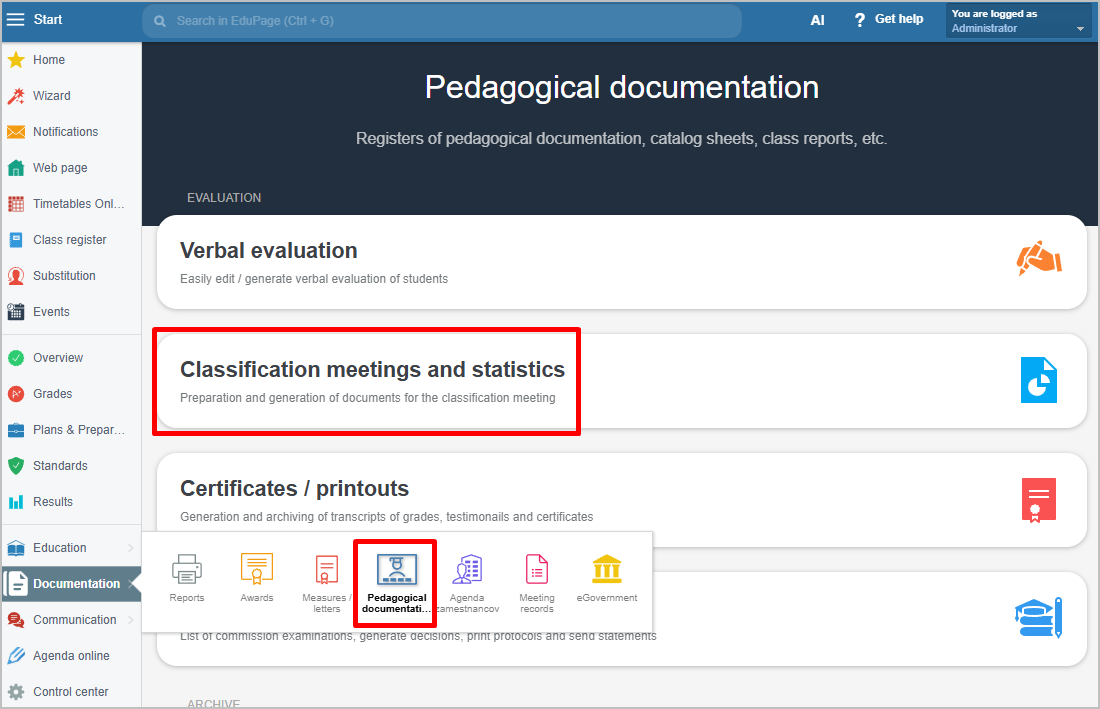
In the left menu, select Documentation / Pedagogical Documentation, then choose Classification meetings and statistics.
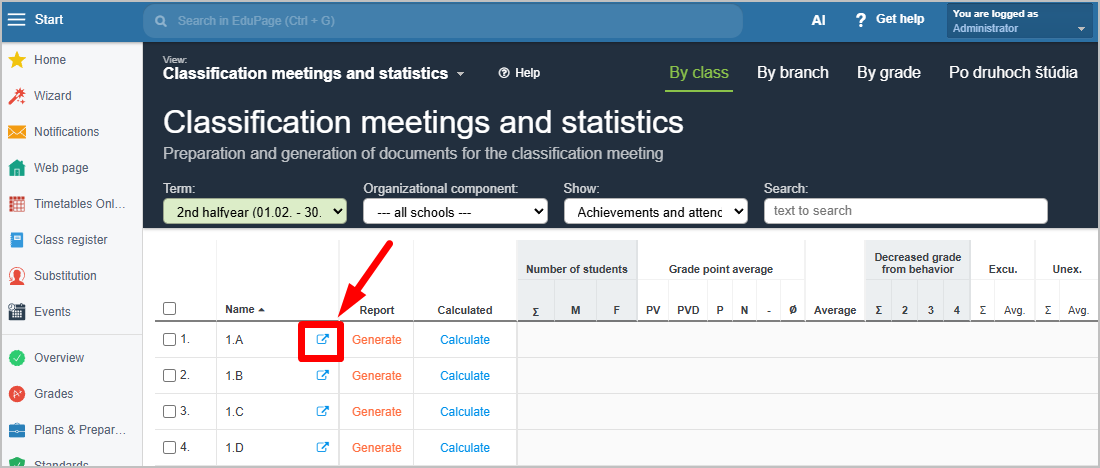
In the By classes view, click on any class.
Statistics for individual students will appear. Select the view Failing/unclassified students.
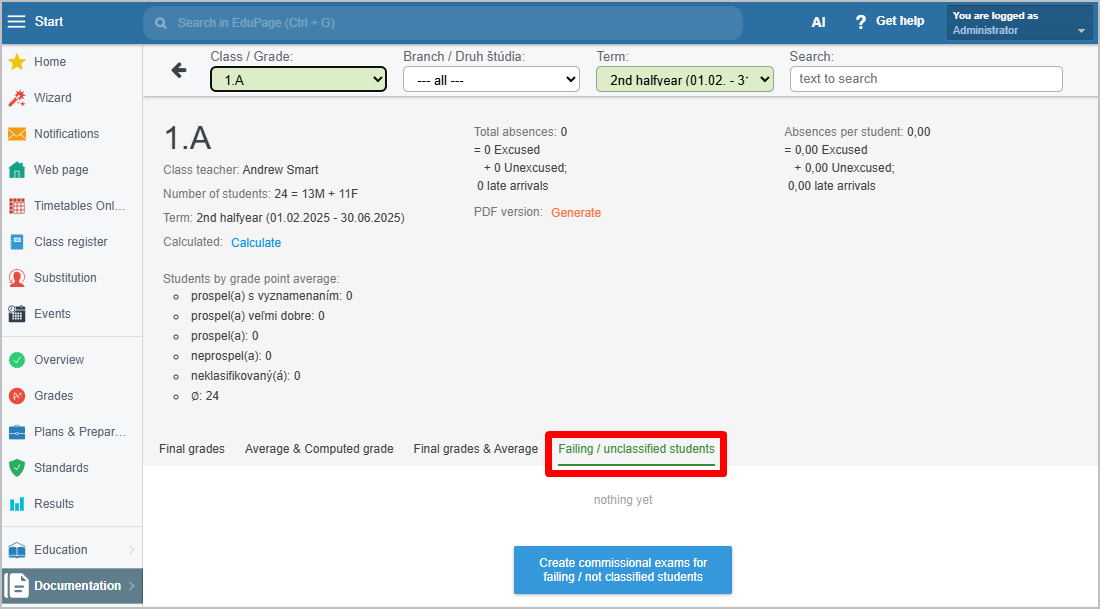
In the Class field, choose All.
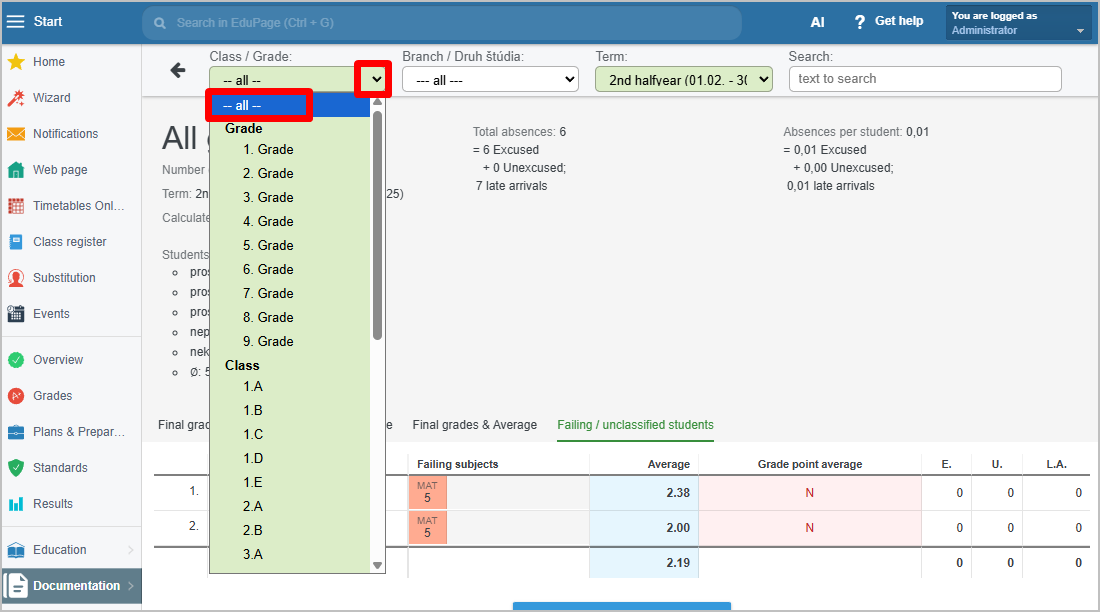
An overview of all failing and unclassified students across the entire school will be displayed.