Deutsch
  España
  Francais
  Polish
  Russian
  Greek
Greek  Lithuania
  Romanian
  Arabic
  Português
  Indonesian
  Croatian
  Serbia
  Farsi
Farsi  Hebrew
  Mongolian
  Bulgarian
  Georgia
  Azerbaijani
  Thai
Thai  Turkish
  Magyar
 How to predefine events in the Gradebook?


Teachers can organize grades into columns (assignments) according to their preferences for each subject.
How to sort the assignments in Grade book into columns
If you prefer all English teachers to use a uniform set of assignments, you can predefine assignments names school-wide from the admin account.
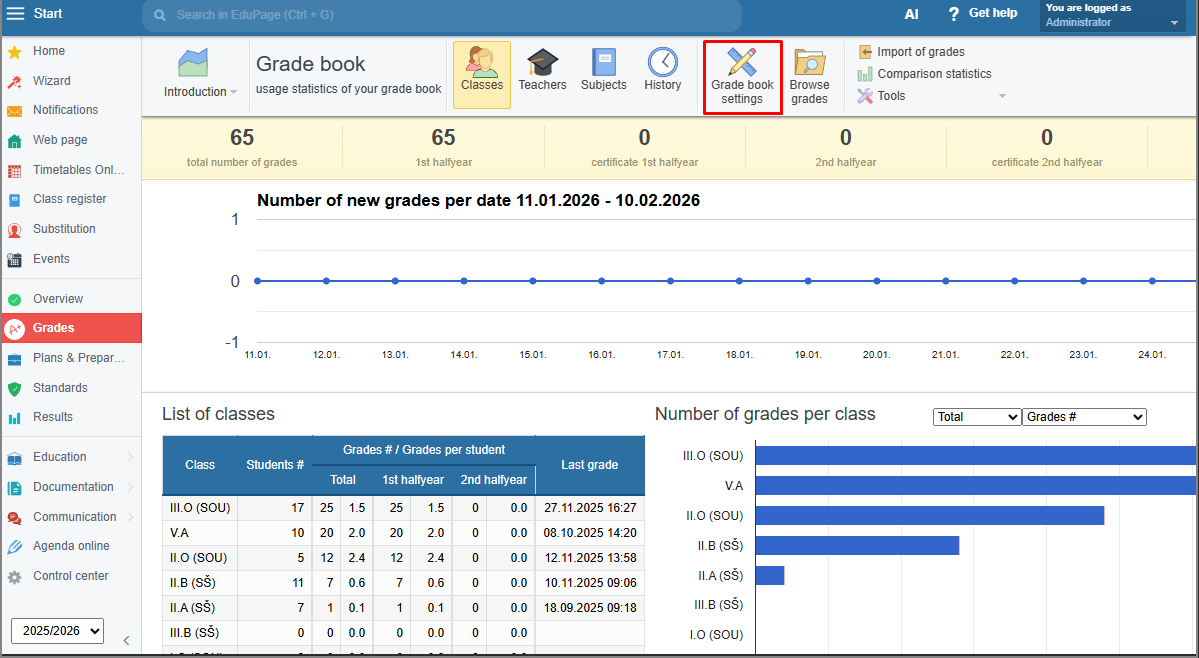
You can do this in the Grades module – Gradebook settings.
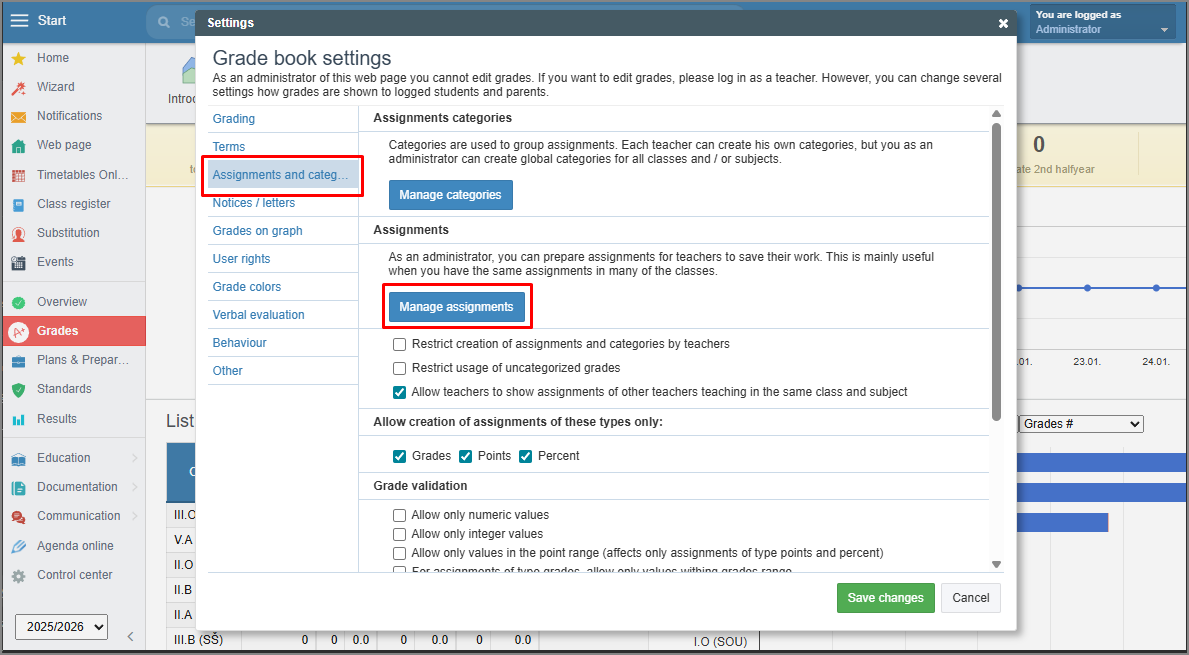
Open the Assignments and categories - Manage assignments:
Set the filter to "All classes" and the specific subject – in our example, English language.
Click on "New assignment":
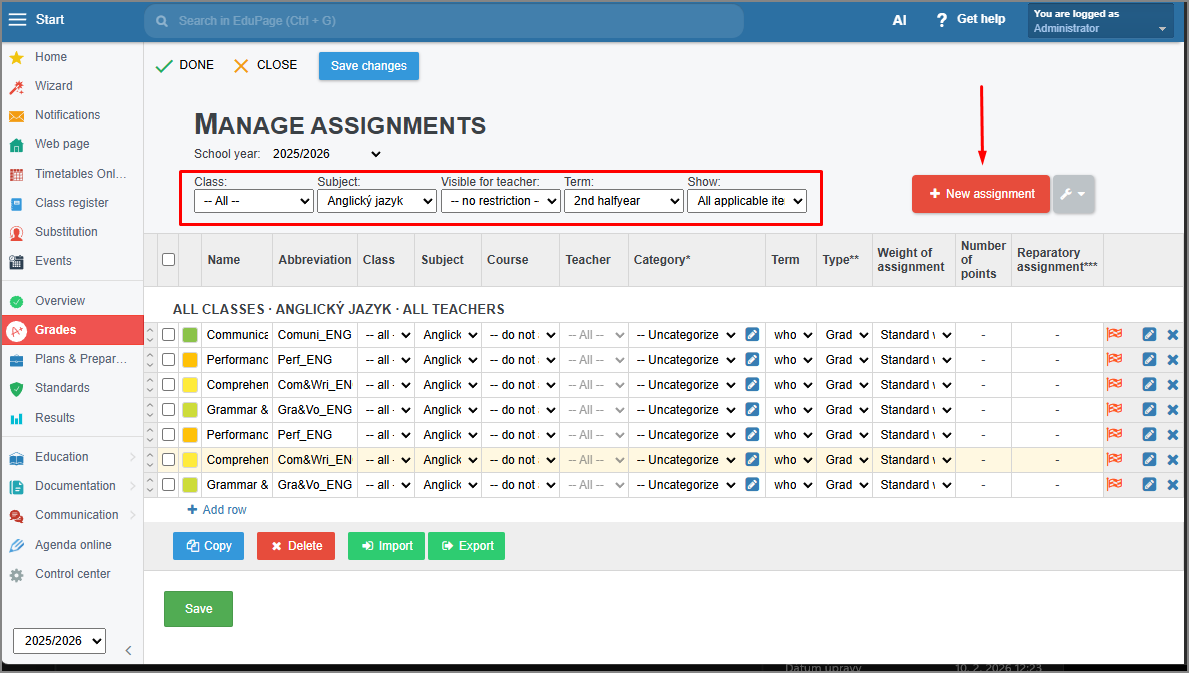
Enter the Name, short name, evaluation type, and other parameters.
We recommend enabling the parameter: "Show this assignment even if a teacher defines own set of assignments."
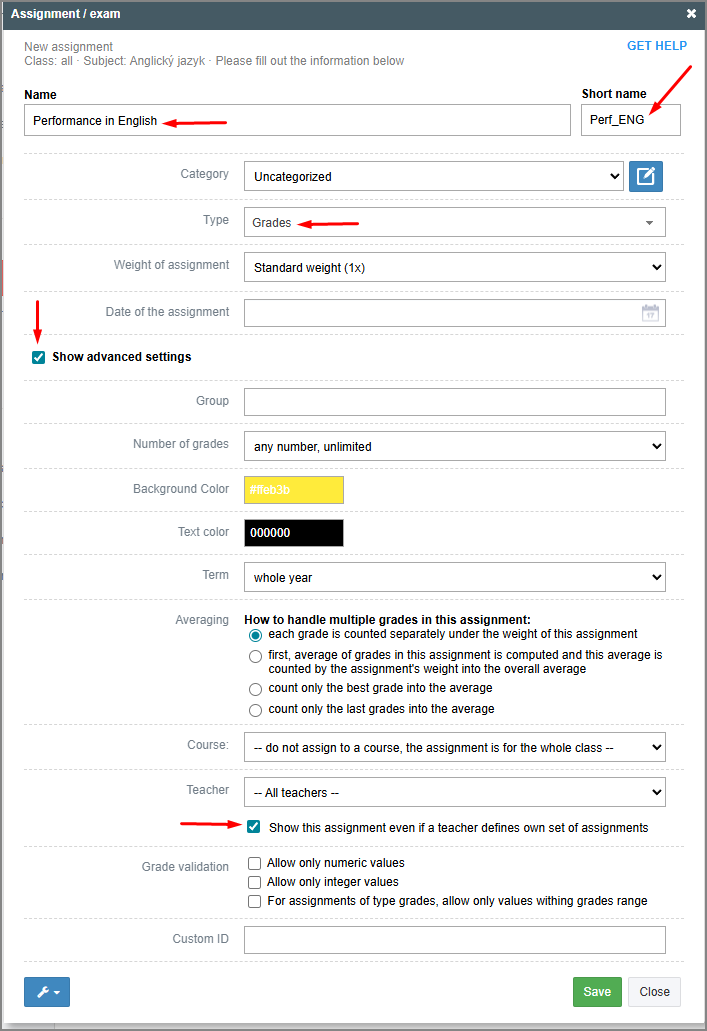
Continue by creating additional "global" assignments for this subject (for all classes).
Then, save the created assignments.
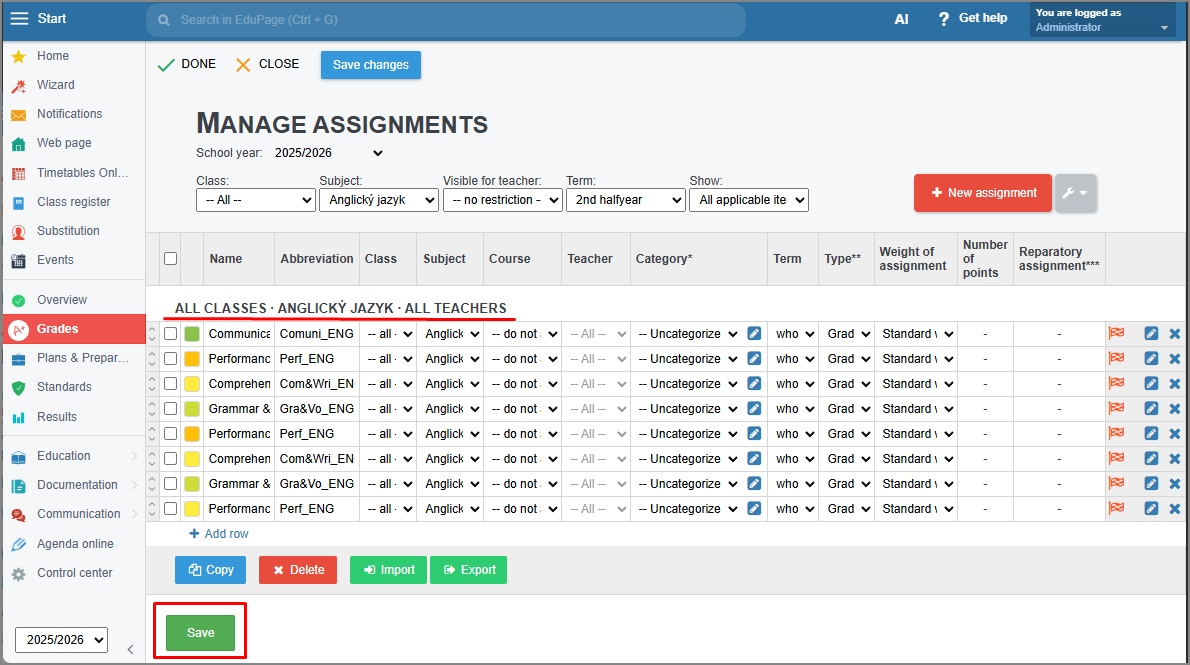
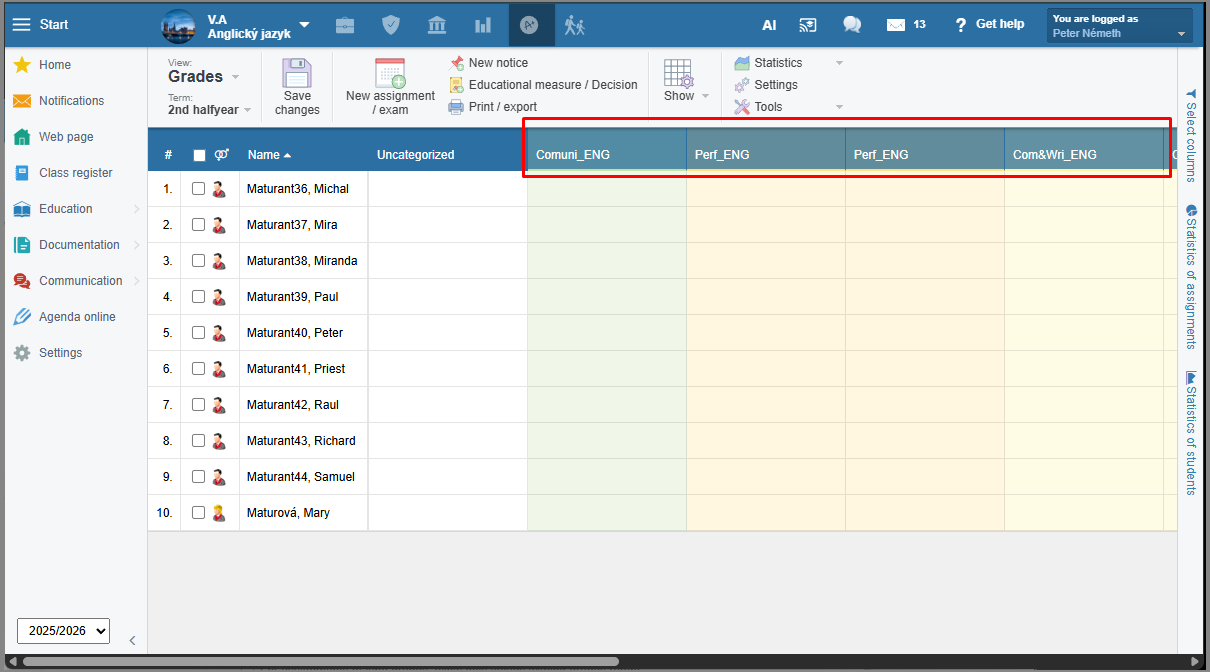
Every teacher who has lessons for this subject (English language in our example) will then see the predefined assignment in their Grades section after logging in and will be able to enter grades into it immediately.