 Deutsch
  España
  Francais
  Polish
  Russian
  Greek
Greek  Lithuania
  Romanian
  Arabic
  Português
  Indonesian
  Croatian
  Serbia
  Farsi
Farsi  Hebrew
  Mongolian
  Bulgarian
  Georgia
  Azerbaijani
  Thai
Thai  Turkish
  Magyar
 The advantage of EduPage when entering verbal assessments for additional students
Verbal assessment, assessment comments, multiple students, copying comments, report cards


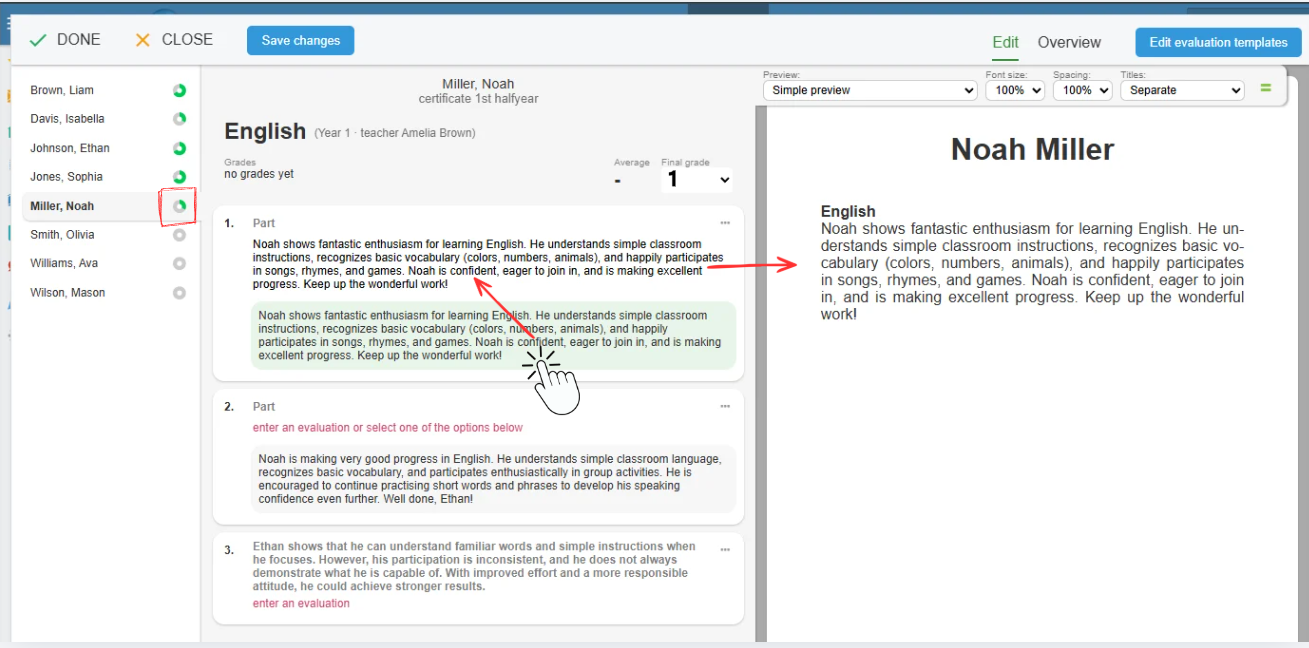
EduPage automatically offers you all texts previously entered for other students in each section. Simply click to select the appropriate verbal assessment text for the student.
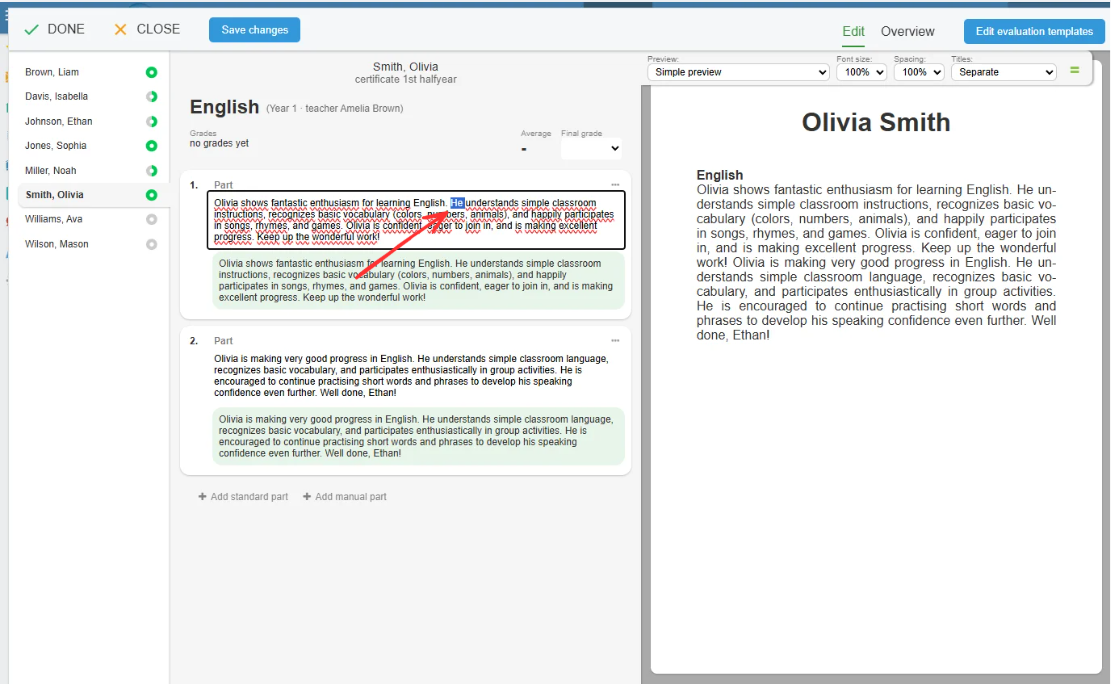
You can edit the selected text, and the edited version will then become another option available when assessing additional students. After assessing only a few students, you will already have most of the assessment sentences prepared and will simply select the most suitable ones.
For example:
1. You no longer need to write Juraj’s entire assessment from scratch. Simply select one of the assessments previously entered for his three classmates and choose the statements that best describe him:
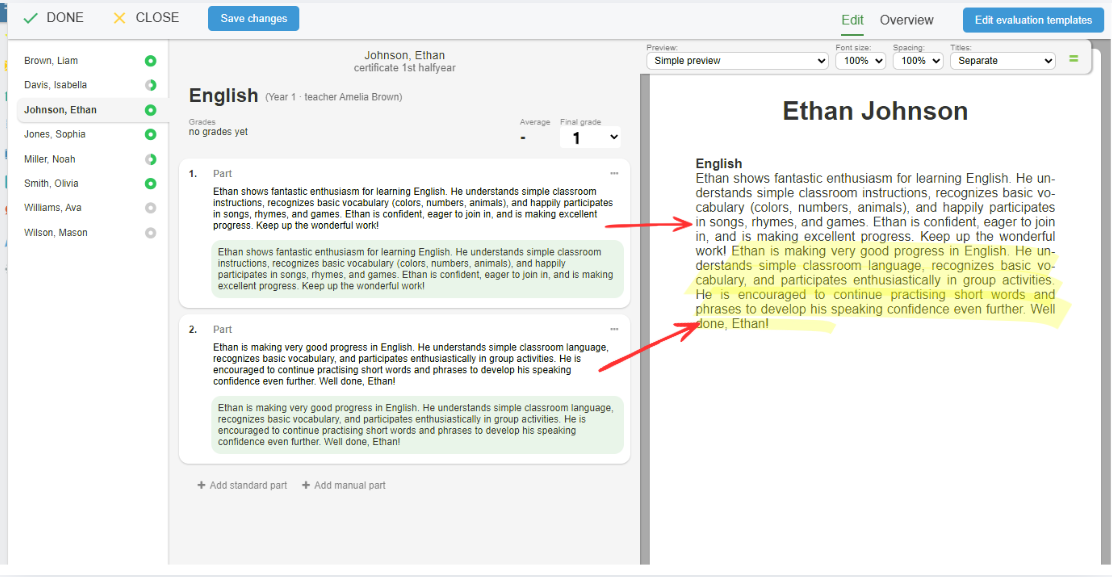
2. It is helpful to divide the assessment into several sections. This makes it easier to select the right combination from the options already entered when assessing other students:
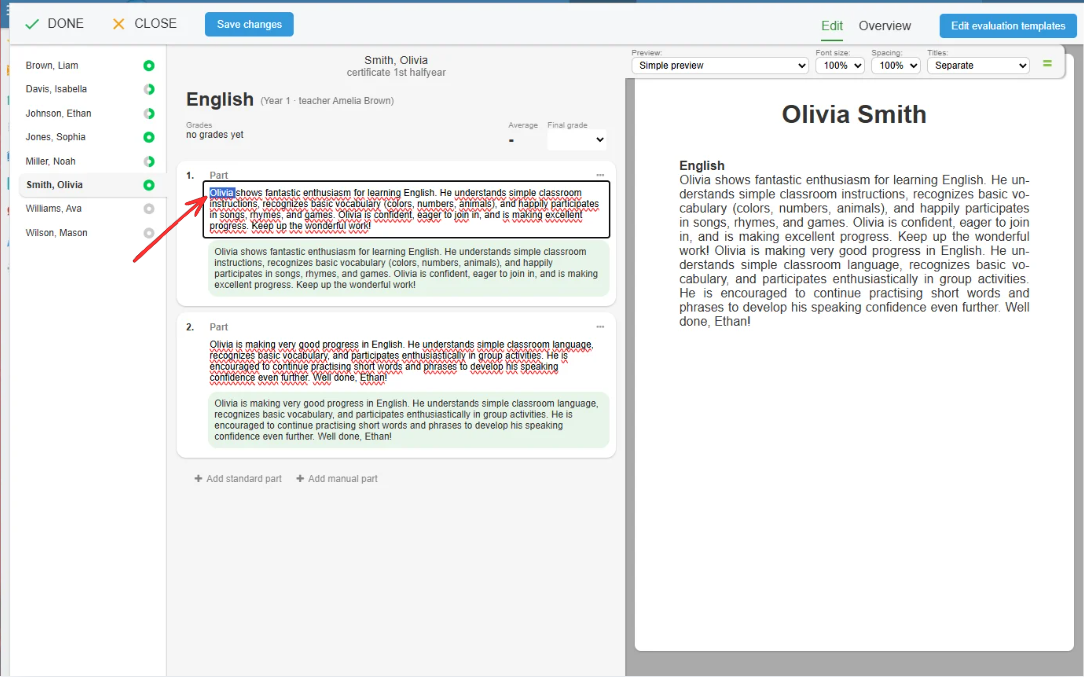
3. EduPage automatically reformulates the sentence using the student’s name:
4. You can edit the text if necessary:
EduPage offers even more options.
* You can share assessment texts with colleagues or reuse them over several school years: