 Deutsch
  España
  Francais
  Polish
  Russian
  Čeština
  Greek
Greek  Romanian
  Arabic
  Português
  Indonesian
  Croatian
  Serbia
  Farsi
Farsi  Hebrew
  Mongolian
  Bulgarian
  Georgia
  Azerbaijani
  Thai
Thai  Turkish
  Magyar
 Remembering login details when logging in to EduPage


Make your EduPage login easier by saving your login details. Once logged in, allow the browser to remember your username and password to skip manual entry next time.
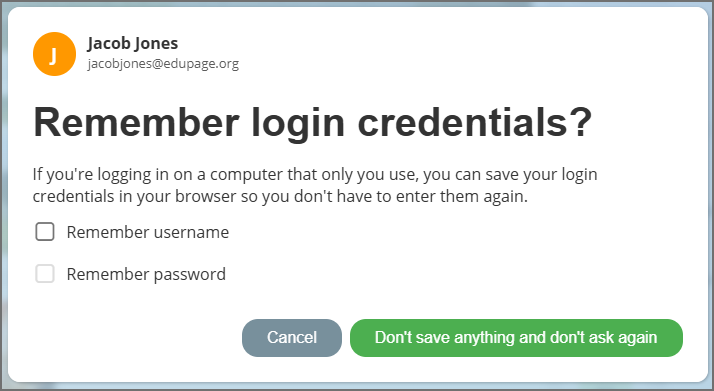
When is it safe?
Use this feature only on devices that are fully under your control (e.g., your private home computer or personal tablet).
When not to use it?
Never enable this option on public computers (in libraries, internet cafes) or shared school computers. If you save your details on a shared device, anyone using the computer after you can access your account without knowing your password.
Safety tip:
If you need to access EduPage on a public or shared computer, the safest way is to log in via QR code. This way, you don't have to type in any password and leave no digital footprint behind. Logging into EduPage via QR code – fast and securely