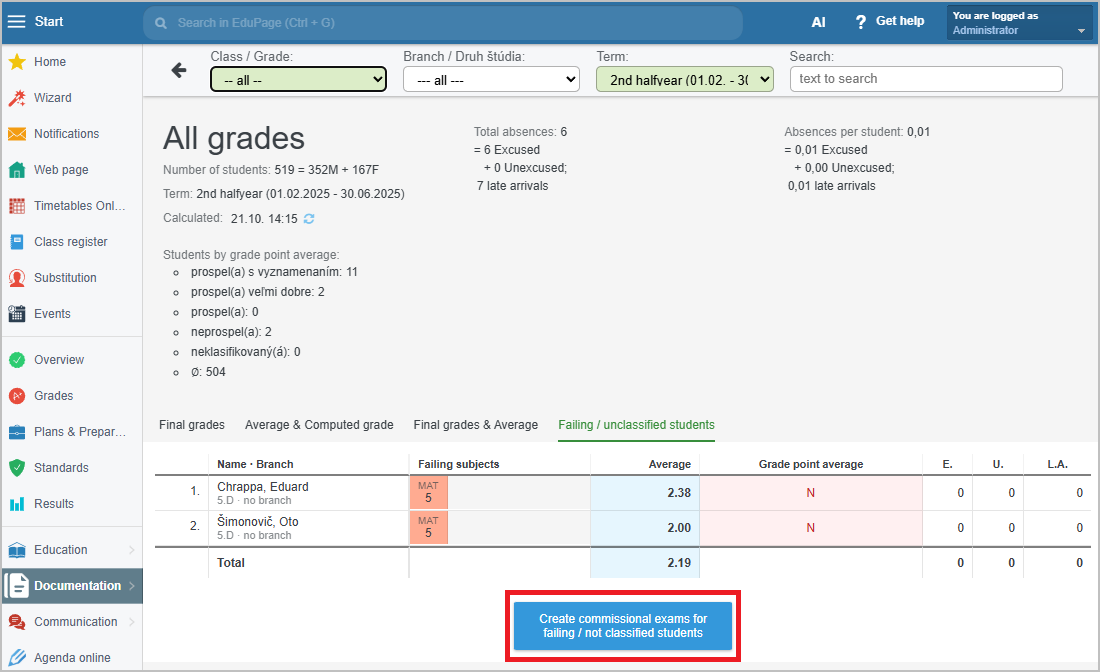
How to display an overview of failing/unclassified students for the entire school


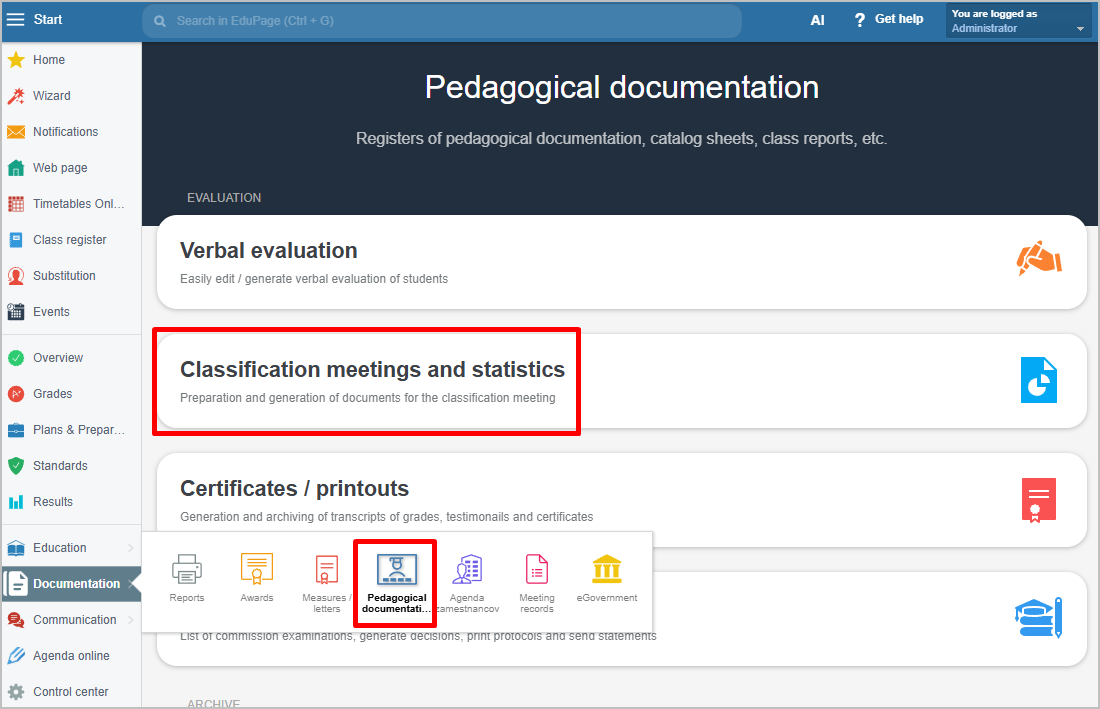
In the left menu, select Documentation / Pedagogical Documentation, then choose Classification meetings and statistics.
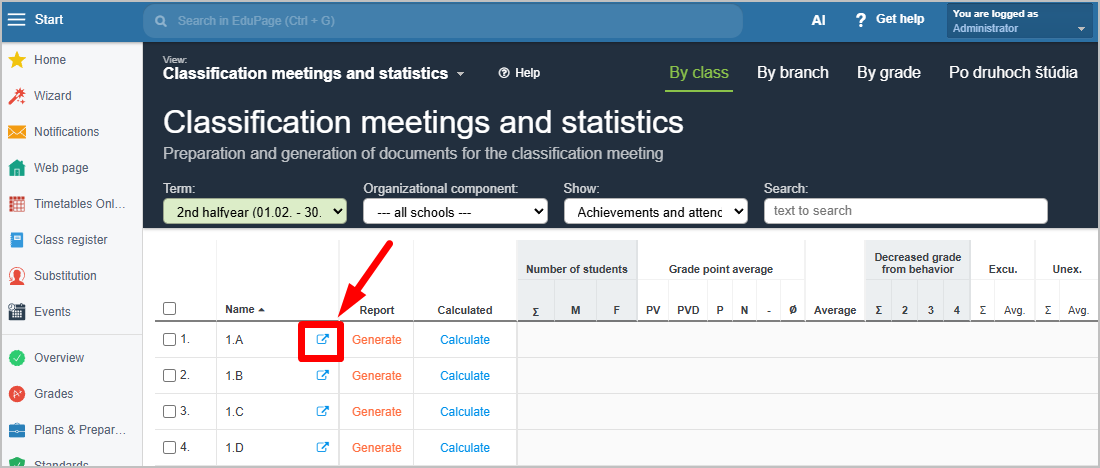
In the By classes view, click on any class.
Statistics for individual students will appear. Select the view Failing/unclassified students.
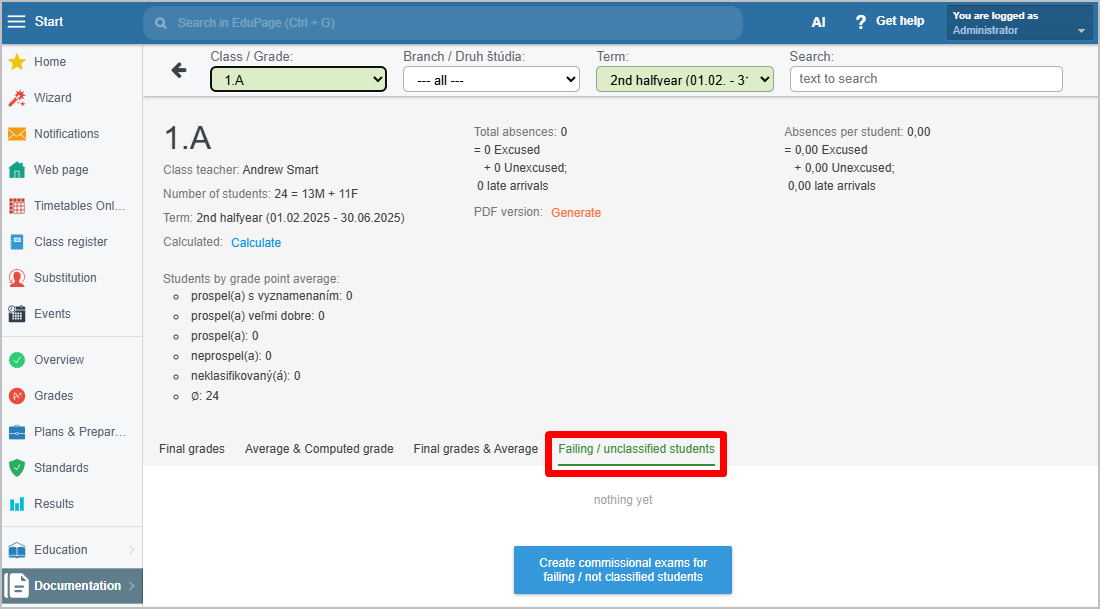
In the Class field, choose All.
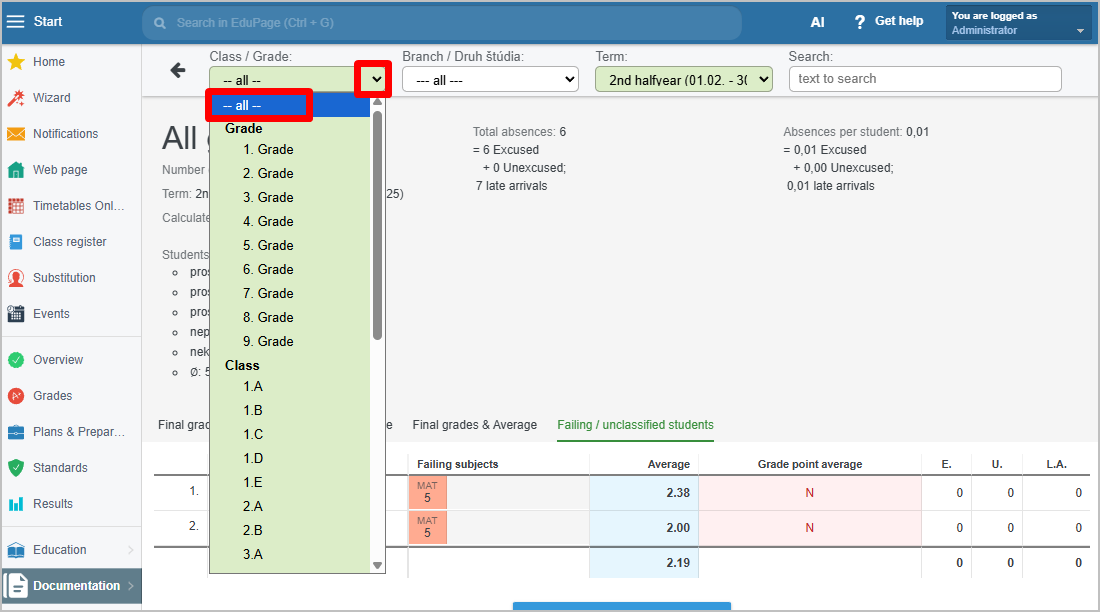
An overview of all failing and unclassified students across the entire school will be displayed.